

The All Partners Map is the discovery surface for every partner business on the network.
What’s on the page
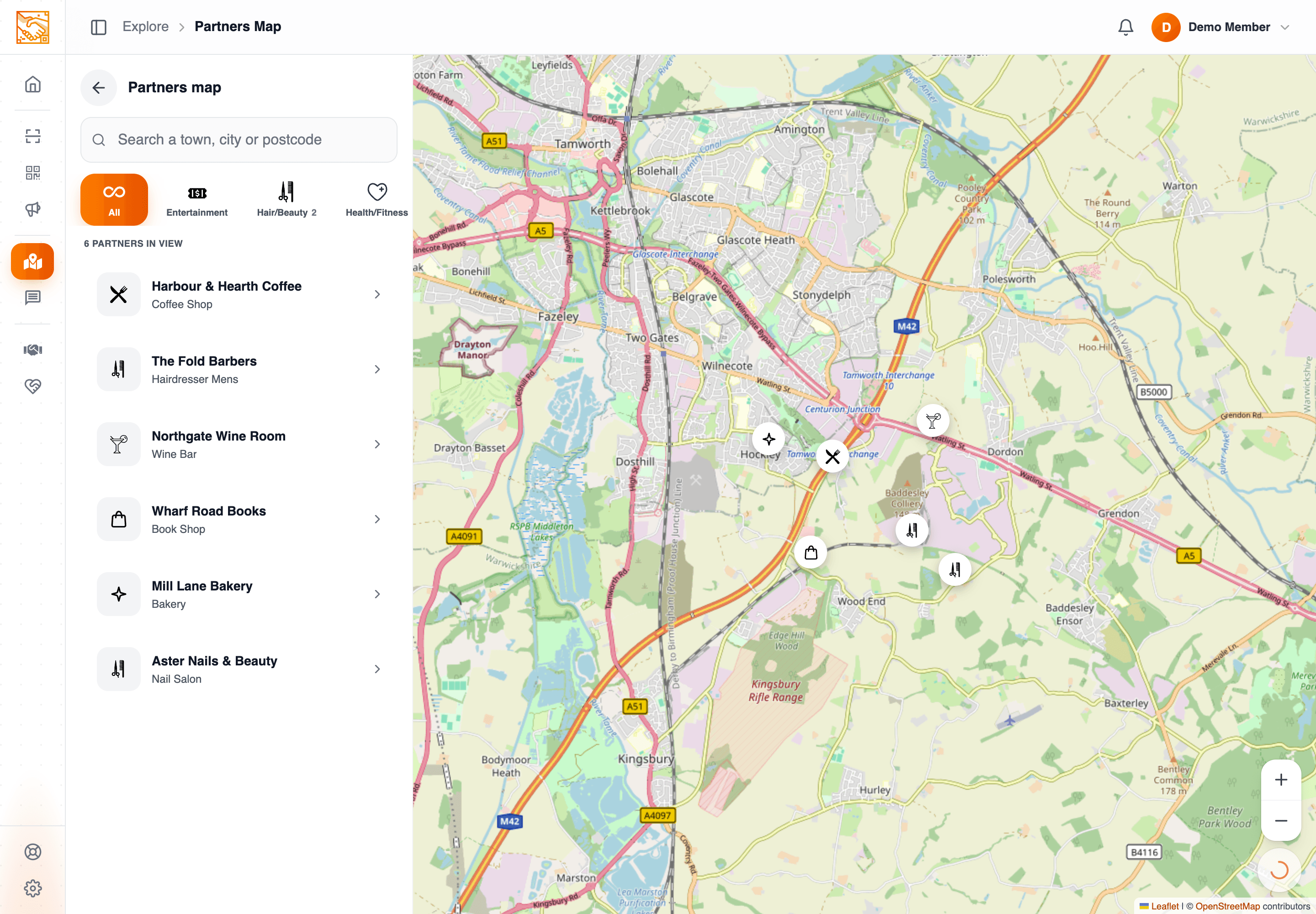
- Map with partner markers.
- Search bar — type a place name (3+ characters) to search via OpenStreetMap (Nominatim). Click a result to centre the map there.
- Category filter — narrow markers by business category.
- Geolocation — centre on your current location when granted permission.
Marker popups
Tap a marker to see the partner’s details. Map icons reflect the partner’s business category.
What to know
- Postcode-based search — the search uses a free-text place search via Nominatim, not specifically a UK postcode lookup; UK postcodes do work in Nominatim though.
In one sentence
Map with category filter + place search via OpenStreetMap. Tap markers for partner details.