

Your loyalty cards, simplified — and finally rewarding.
Stop juggling paper stamp cards and forgotten apps. Loyalty Club gives you one digital QR code that works everywhere on the network — and turns the rewards you earn into value you can spend.

One QR code, every loyalty card
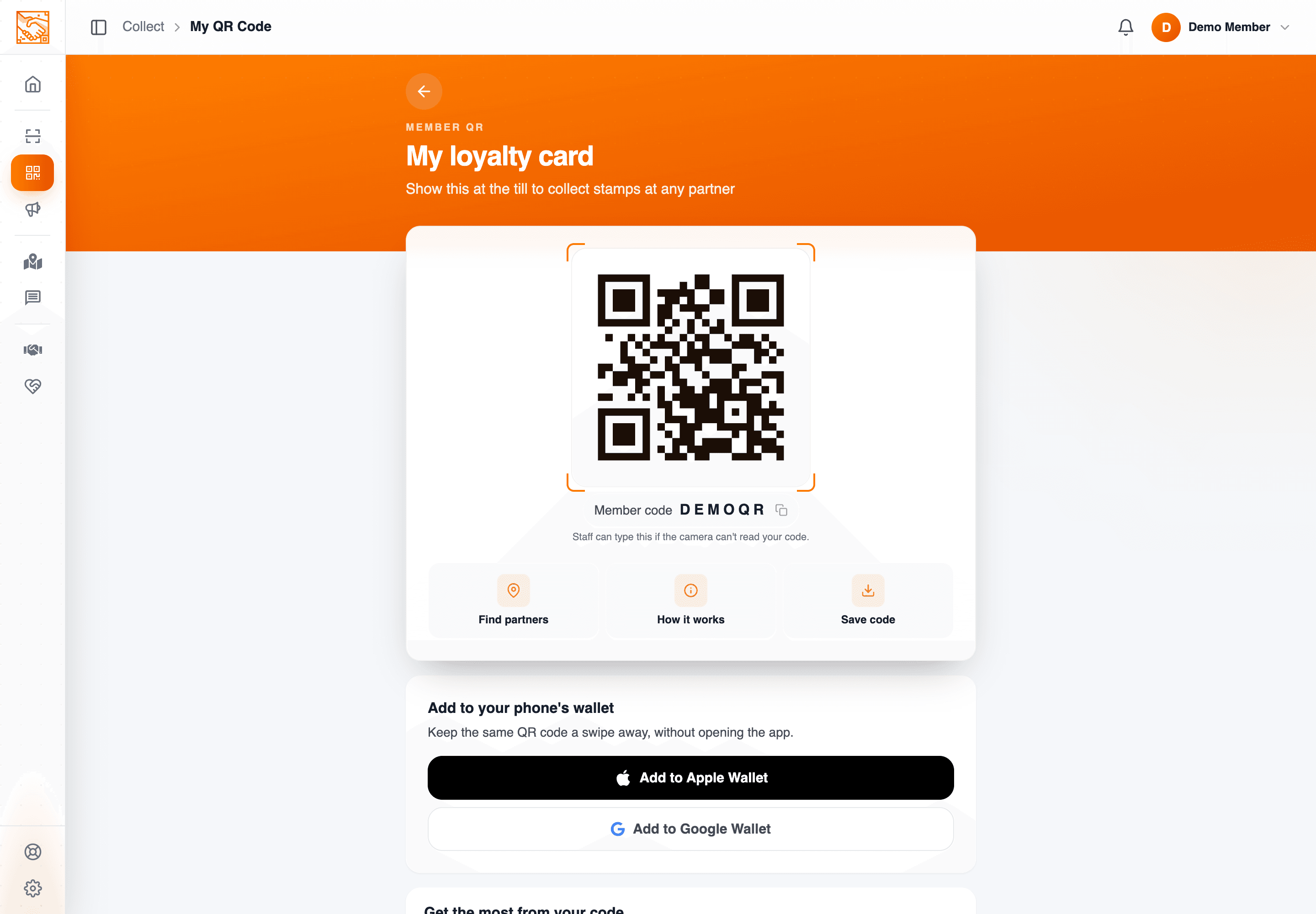
Forget paper punch cards and ten different apps. Show one QR at the till — staff scan it, your stamps appear instantly.
Add it to Apple Wallet or Google Wallet
Save your loyalty card to your phone wallet and scan the same QR at the till — no need to open the app first.
Discover partners near you
An interactive map of every Loyalty Club partner. Find rewards within walking distance, not somewhere across town.
Rewards that travel
Turn earned stamps and completed rewards into value you can put towards stamps anywhere on the network.
Offers that don't pester
Offers from the businesses you actually visit — in the app, and by email only if you said yes to that business. Never random spam.
Donate to causes
Put your rewards towards local fundraising causes through partner businesses you trust.
Your data stays yours
GDPR-first. Marketing consent is opt-in, never assumed. Delete your account in two taps.
The loyalty app members actually use.
Demo-safe product screens from the member portal: QR code, wallet passes, stamp progress, nearby partners and the mobile dashboard.
Your loyalty card, in Apple Wallet and Google Wallet.
From the My QR screen, tap Add to Apple Wallet or Add to Google Wallet to save your loyalty card to your phone. Pull it up from your lock screen and let staff scan the same QR — no need to open the app first.
- Add to Apple Wallet on iPhone
- Add to Google Wallet on Android
- Same QR, scanned from your wallet
- Faster at the till, even offline
How you earn — and what you can do with it.
Four steps. No paperwork. The same QR code does all the work.
Sign up free
Web, iOS or Android. Add a referral code if a friend or business has shared one.
Show your QR & earn
Staff scan your code on each visit. A stamp appears on your card automatically.
Cash in your stamps
Convert stamps to spendable value at any time. You receive 90% — 10% supports the network.
Spend across the network
Put that value towards stamps on any participating campaign — reach rewards faster everywhere.
Hear from the places you love — only if you want to.
Businesses on Loyalty Club can now email you in their own name: a welcome when you join, a note when your reward is ready and, if you tell them, something a few days before the dates that matter to you. You decide, business by business.
- Say yes or no to each business — you keep the rewards either way
- Your QR code in their emails, ready to scan at the till
- Tell them what you like in Settings → Your info — or don't
- Unsubscribe from one business and the rest carry on
Illustration: straight after joining Harbour & Hearth Coffee, the app asks “Want offers from Harbour & Hearth Coffee?” with the buttons Yes, keep me posted and No thanks, and the line “Either way you keep the rewards. Change it whenever you like.” Below it, Settings shows what the café has asked: a usual order and a birthday, each of which the member can change.
Bring a friend. Both of you win.
Share a partner you love and your friend earns bonus stamps the moment they join. You earn them too. The kind of perk that scales as your social circle does.
- Share via WhatsApp, email, or socials
- Bonus stamps for both sides
- Refer a business — earn £25
- Track every referral in the app

Refer a friend
Share your unique link by message, email or socials. When your friend signs up and earns their first stamp, both of you may receive bonus stamps from the partner.
- Pick the partner you want to share
- Share via WhatsApp, email, X, LinkedIn, Telegram, Facebook
- Both sides receive partner-configured bonus stamps
Refer a business
Know a café, salon or shop that should be on Loyalty Club? Submit them in the app. If they join, you earn £25 — a one-time reward straight to your wallet.
- Submit name, address, contact details
- We reach out on your behalf
- Track status and share your link with the business directly
Open the app. Start earning today.
It takes a minute to sign up. Bring a referral code if you've got one.