

Consent on Loyalty Club is opt-in, and it is asked business by business. Joining one business never lets another one send you offers, and no business is allowed to assume a yes.
When you are asked
Straight after you join a business — by scanning their QR code, or from the partners map — the app asks:
Want offers from that business? Member-only deals, early access to what's new, and a treat on your birthday — sent by them, only to people who ask for it.
You answer with Yes, keep me posted or No thanks. Underneath: Either way you keep the rewards. Change it whenever you like.
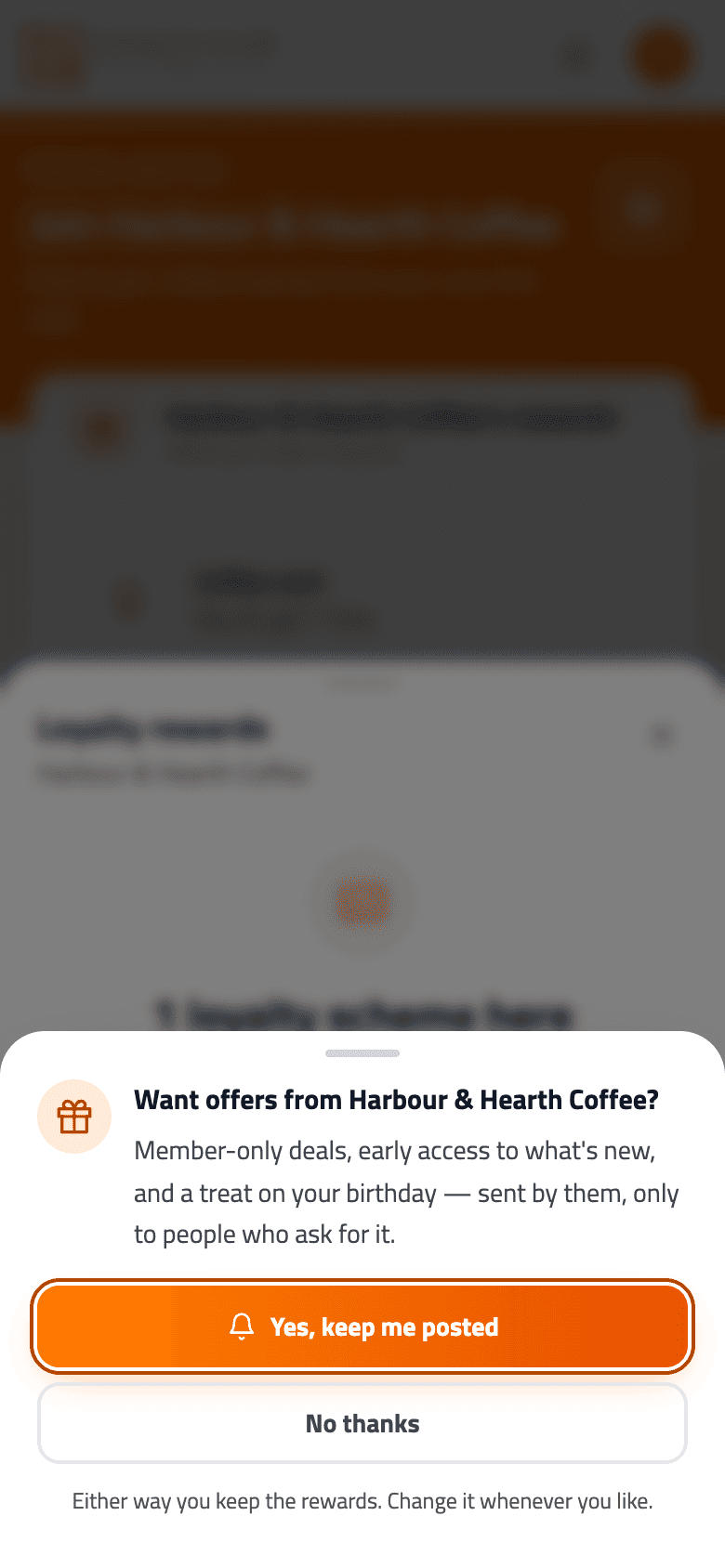
- Nothing is pre-selected. Neither button is chosen for you.
- Closing it is not an answer. Dismissing the question is never read as a yes.
- Saying no costs you nothing. You are already joined, and your stamps and rewards work exactly the same either way.
What your answer covers
| If you said yes | If you said no | |
|---|---|---|
| Their offers by push notification | You get them | You don't |
| Their welcome email | Once, when you join | Once, when you join — it confirms the join itself |
| Every other email from them — reward ready, milestones, date reminders, review requests, their news | You get them | You don't |
The emails themselves are explained in Emails from the businesses you join.
Changing your mind
You can change your answer at any time, and it takes one tap:
- Where the app shows your answer — You'll hear about offers from that business, with Turn off beside it; or No offers from that business, with Change.
- In Settings → Privacy — every business you have joined is listed with its own Allowed / Blocked switch. These switches cover marketing only: you may still get important account notices and service updates whichever way they are set.
After you say yes, you will also see Want them to get it right? Tell them what you like — a way to answer that business's own questions. See Telling a business what you like.
Unsubscribing from one business's emails
Every email from a business has an unsubscribe link at the bottom. It stops that business's emails only — your card, your stamps and their messages in the app are unaffected, and every other business carries on as before.
At signup
The Register page asks two questions of its own, both unticked:
- I have read and agree to the privacy policy — required to create an account. You can read the policy again any time in Settings → Policy.
- Send me member offers and news by email — optional. This box is about member offers and news in general; each business still asks for its own permission when you join it.
To change that signup choice later, open a ticket and we will update it for you.
In one sentence
Each business asks "Want offers from…?" the moment you join it; your answer covers its push offers and every email except the welcome, and you can change it any time with Turn off / Change or in Settings → Privacy — or stop one business's emails with the unsubscribe link.