

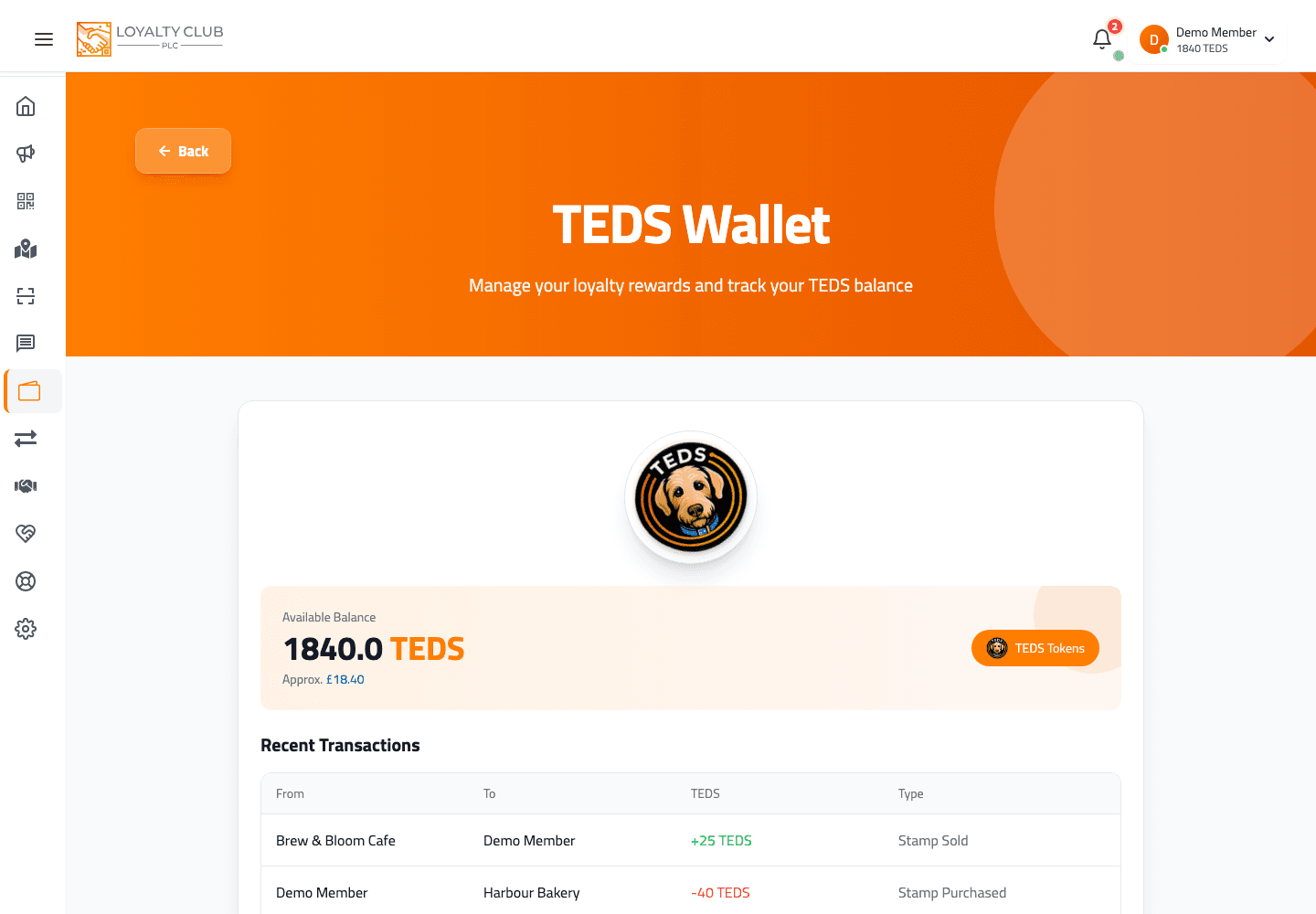
The TEDS wallet shows one number labelled Available Balance. It combines settled and pending exchange activity, but you don’t see those pieces separately.
What you see
The Wallet page (/teds/wallet in the app) displays:
- A single Available Balance number (with its £ equivalent below).
- A list of recent transactions.
That’s the headline number. It can include TEDS at different settlement stages, but the wallet does not expose the split.
Where pending shows up
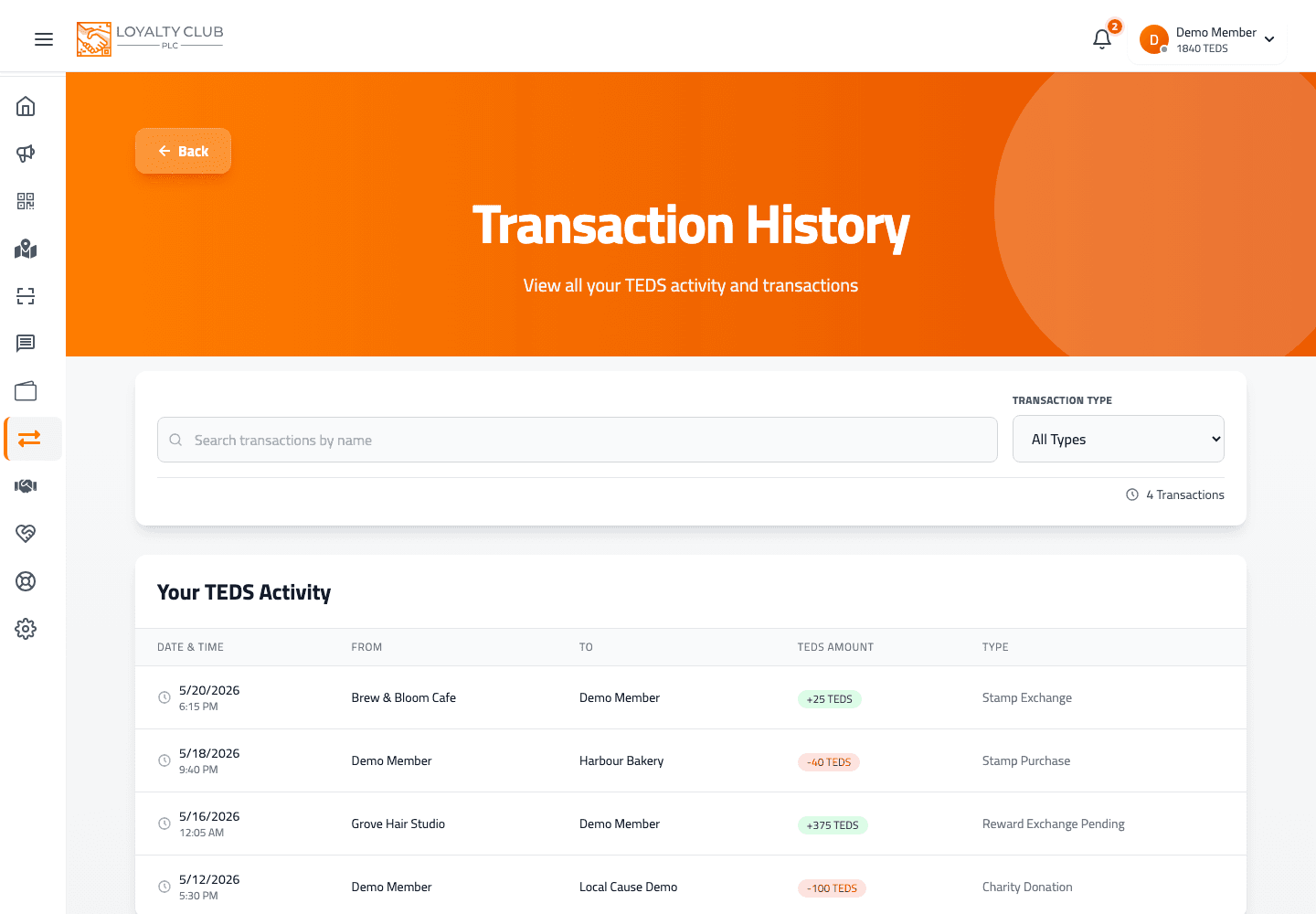
Open your transaction list. Some rows have types like:
- Stamp exchange pending — you exchanged a stamp for TEDS, but the partner’s wallet was insufficient when it happened.
- Reward exchange pending — same for a completed reward.
These pending rows are still credited to your balance (they show as Earned with a green +). The "pending" part means the partner needs to top up before the transaction fully settles on their side.
Why this matters
For most members it doesn’t — your headline balance includes everything you’ve earned. The distinction only matters if you’re trying to understand why a partner’s side hasn’t shown the exchange as completed yet.
What to know
- A specific deadline for pending exchanges to clear — the wallet UI doesn’t spell one out.
- Whether the headline number ever drops because of a pending reversal — not shown in the current product.
In one sentence
Wallet shows one "Available Balance"; pending exchanges show in your transaction list, still credited to you.