

You can cancel any time. Cancellation takes effect at the end of your current billing period — you keep access for the time you’ve already paid for.
Cancelling
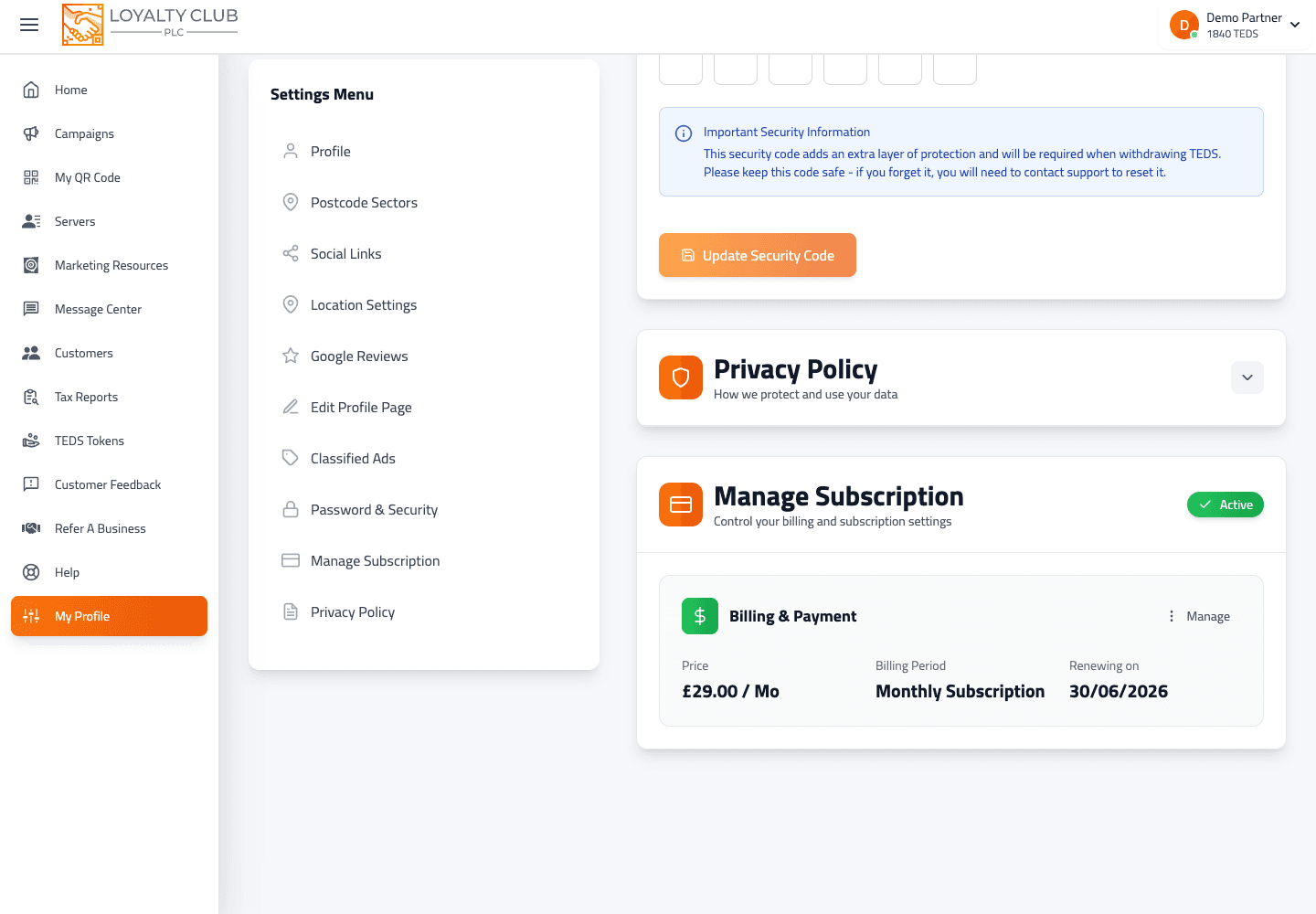
- 01Open Settings → Manage Subscription
From the portal sidebar.
- 02Tap Cancel Subscription
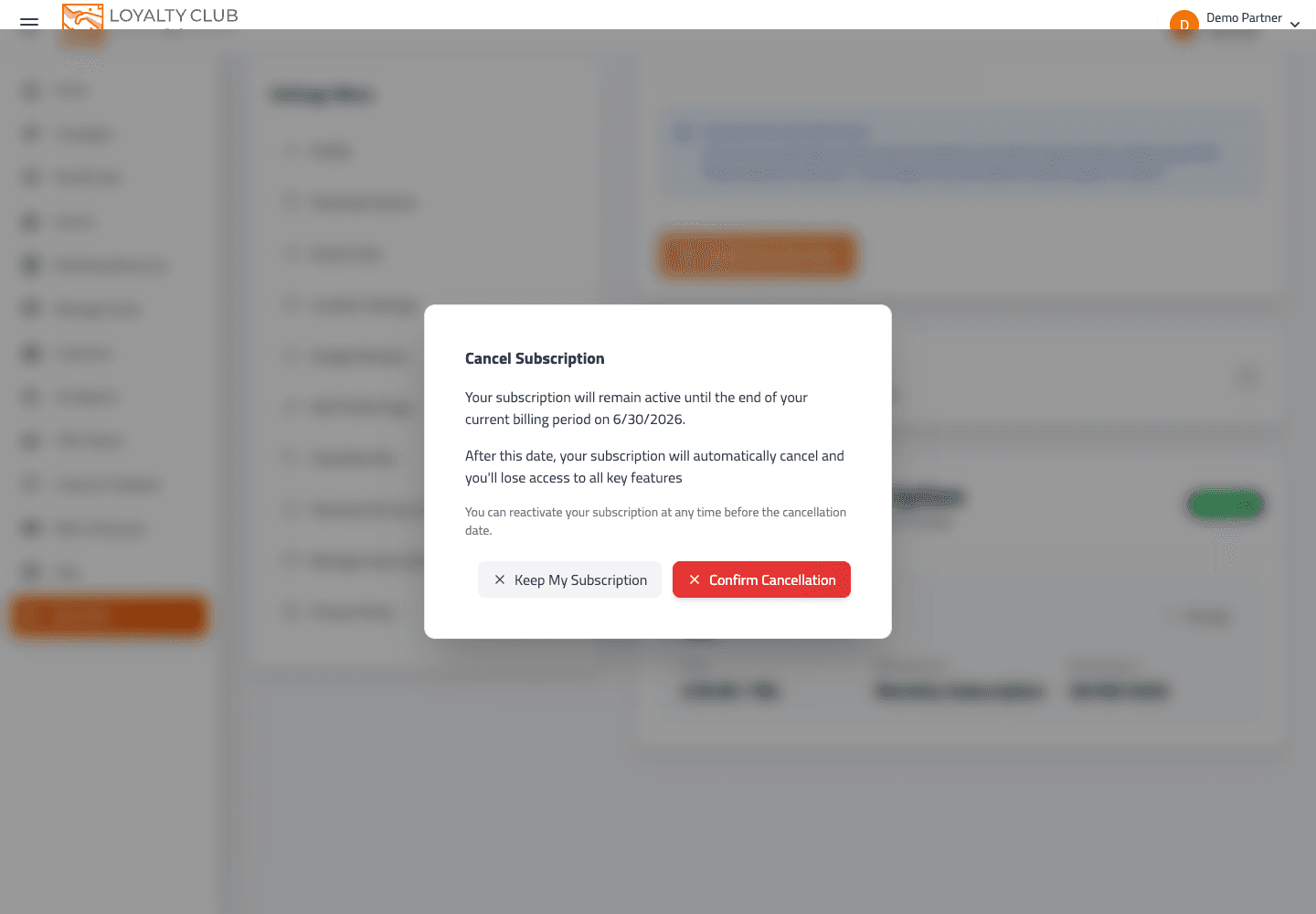
A confirmation modal opens showing the exact date your subscription will end (the end of your current billing period).
- 03Confirm
The cancellation registers. The modal switches to a "Subscription Cancelled" success state and closes.
After cancelling, the Manage Subscription panel changes:
- The subscription status flips to canceled with
cancelAtPeriodEnd: true. - The "Renewing on" line becomes "Cancelling on" with the same date.
- A reactivation prompt is offered.
What happens during the remaining period
You retain full access until the period-end date — exactly as before. Stamps still award, conversions still process, the mobile app and portal both work normally. Members see no change.
Reactivating
Open Settings → Manage Subscription before (or after) the period ends and re-subscribe. The portal walks you back through the payment step.
What to know
A few edge cases depend on your account state, so contact us if you need a written answer before cancelling:
- What happens to your account on the day after the period ends — the portal supports a
payment_failed5-day grace path (see Your partner subscription), but the equivalent post-cancellation lock-out flow isn’t documented in the same way. - Data preservation timeline after cancellation — if you need a guarantee that your campaign and member data will still be there if you come back in 6 months, open a ticket and we’ll confirm the policy in writing.
- Refunds for mid-period cancellation — handled case-by-case, not by an automated rule.
Your balance on cancellation
- Anything settled stays in your wallet during the active + cancelling period.
- Anything still clearing continues to clear during the active + cancelling period.
- If you are holding a meaningful balance and want to discuss how to handle it, open a ticket — cashing a balance out is a manual conversation currently.
In one sentence
Cancel via Settings → Manage Subscription → keep access until the period-end date → reactivate any time. Anything beyond that, ask us.