

The /campaigns page exposes two separate actions per campaign: Pause and Delete. They’re very different. Read this before clicking Delete.
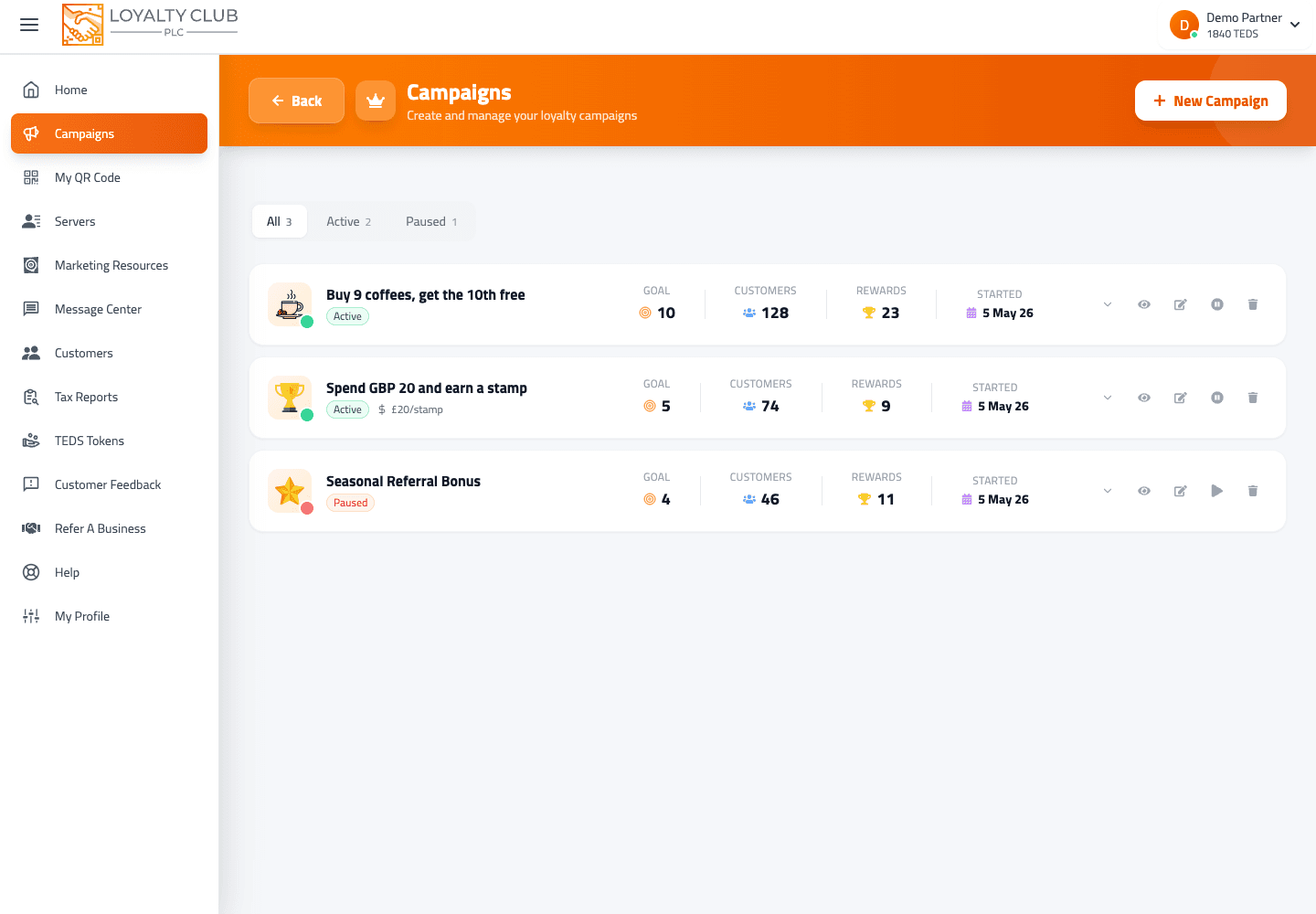
At a glance
| Action | New stamps award? | Members can redeem completed cards? | Visible in member app? | Reversible? |
|---|---|---|---|---|
| Pause | ❌ No | ❌ No | Existing enrolment preserved | ✅ Toggle Resume |
| Delete | ❌ No | ❌ No | Removed | ❌ Permanent — customers lose stamps |
Pause
What the modal says: "Pause this campaign to temporarily prevent customers from acquiring stamps and redeeming rewards."
What it does:
- Status changes to
legacy(displayed as Paused in the UI). - Stops new stamps from being awarded.
- Stops reward redemption on this campaign while paused.
- Existing member enrolment + stamps are preserved.
- New customers can’t enroll while paused.
Use pause when you’re holding the campaign temporarily — staff training, supplier issue, seasonal break, you want to refresh the reward.
Reversing: open the same Pause action on a paused campaign — the modal title becomes Resume Campaign with the message "Resume this campaign to allow customers to acquire stamps and redeem rewards again." Confirm and the campaign returns to active status.
Delete
What the modal says: "You are about to permanently delete this campaign. This action cannot be undone. Your customers will lose all of their accumulated stamps."
What it does:
- The campaign is removed from your active list.
- All accumulated customer stamps for this campaign are lost.
- The action cannot be undone via the UI.
Use delete when you’re absolutely sure the campaign should be wiped — and you’ve thought about your customers’ stamps.
This isn’t an archive — it’s a permanent wipe with explicit customer-impact warning. If you’re not 100% sure, pause instead. You can always come back and delete a paused campaign later.
Common scenarios
Reward needs updating. Pause → edit the reward in /campaign/{id}/edit → Resume.
Going on holiday for two weeks. Pause → resume when back. Customers see "campaign paused" rather than confusion.
Retiring a campaign in favour of a new one. Create the new campaign first (it’s live immediately). Once you’ve confirmed the new one works, pause the old one. Only delete if you’re willing to wipe the existing customer stamps on it.
Made a mistake on a brand-new campaign with no enrolled members. Edit it directly via /campaign/{id}/edit — no need to pause or delete.
In one sentence
Pause = reversible hold; both new stamps AND redemption stop while paused; existing stamps preserved. Delete = permanent wipe; customers lose their accumulated stamps; cannot be undone.