

The tax report consolidates your loyalty-programme transactions for a chosen date range into a downloadable PDF.
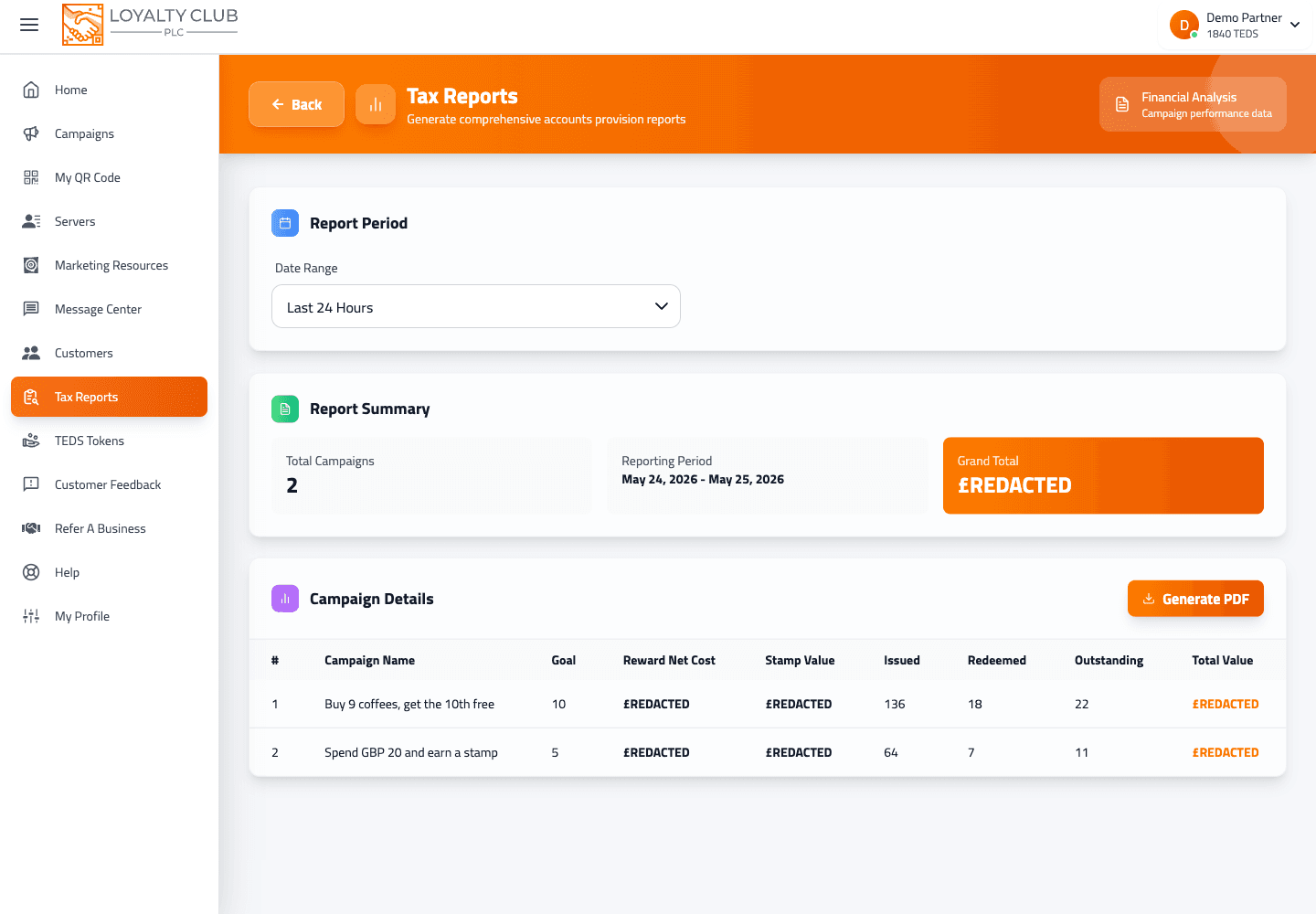
Generating
- 01Open Get Tax Report
/get-tax-reportfrom the portal sidebar. - 02Pick a date range
Preset options: 1, 7, 30, 90 days. Or select a custom start/end date via the date range picker.
- 03Generate the report
The page loads the in-page summary for the selected period.
- 04Download as PDF
The Download action generates a PDF using jsPDF + jspdf-autotable. The file downloads with a name like
tax_report_YYYYMMDD_HHmmss.pdf(timestamp based).
What to know
- Exactly which line items / column headers appear in the PDF — the report is based on the data returned for your selected period. See What the tax report shows for what we can confirm.
- Currency / VAT handling — check the generated PDF with your accountant before relying on it for filing.
- Scheduled / emailed reports — not shown in the current interface.
In one sentence
Get Tax Report → pick a date range (1/7/30/90 days or custom) → Generate → Download the timestamped PDF.