

The tax report is historical only — facts about a period that’s already happened. Beyond that, we want to be careful what we claim.
What we can confirm
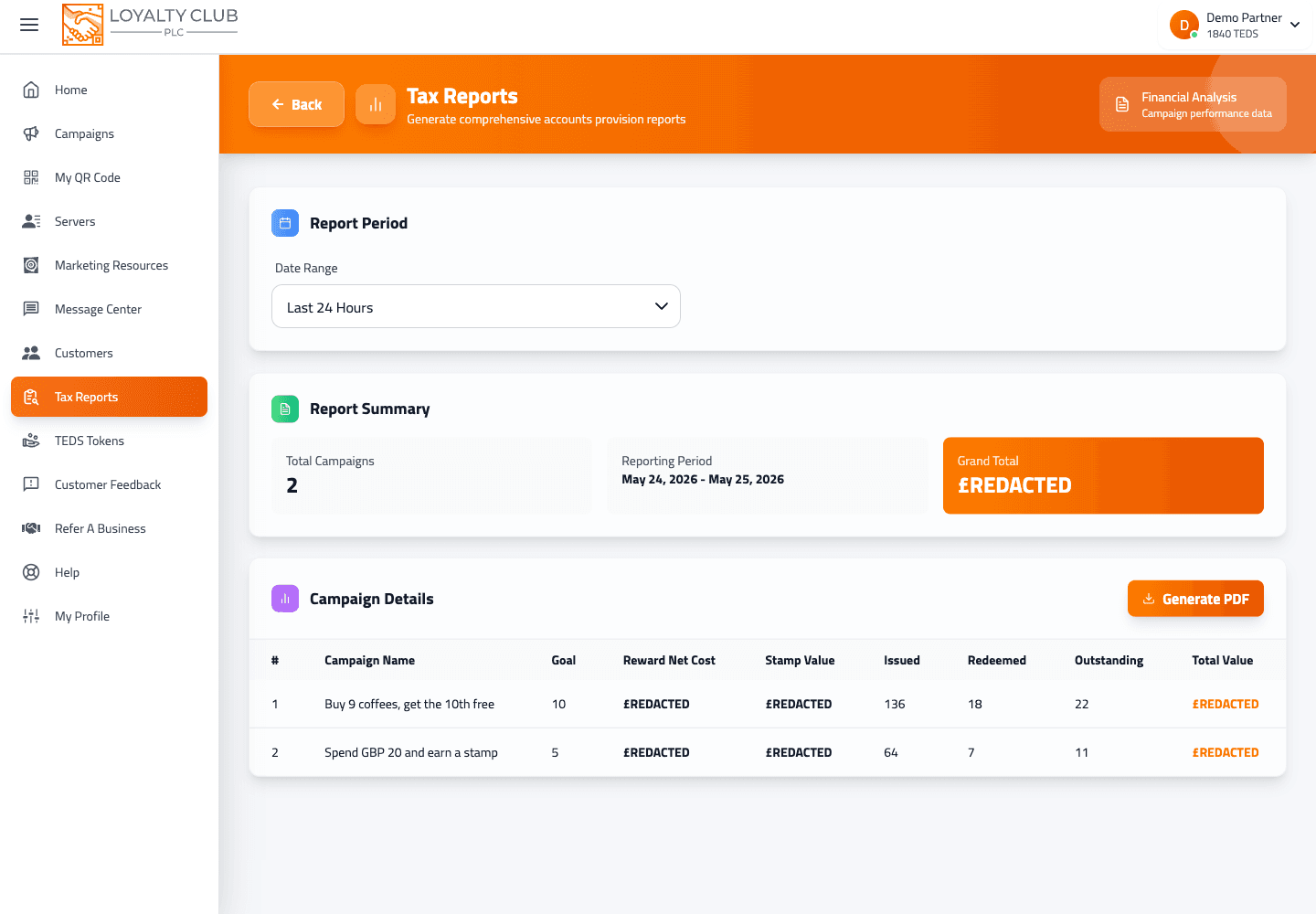
The tax report covers:
- The report covers a chosen date range with a start and end date displayed in the PDF header ("Reporting Period: - ").
- The PDF is generated from the report data returned for that period.
- The downloaded file is named
tax_report_YYYYMMDD_HHmmss.pdf(timestamp at download time).
What to check
- Which exact column headers and line items appear — generate a report for a known period and compare it with your own records.
- Whether VAT, refunds or specific transaction-type subtotals are included.
- Whether different transaction types appear as separate lines or aggregated.
If you need the report to show specific information for an accountant, generate one for a known period and check what you get before relying on the format. If anything material is missing, open a ticket and we’ll either explain what’s in the report or get the missing piece added.
What it definitely isn’t
- Not a forecasting tool. Historical only.
- Not auto-emailed. You generate and download manually.
- Not a CSV or spreadsheet export currently. PDF only via jsPDF.
- Not a full bookkeeping replacement. Hand the PDF to your accountant for proper tax filing.
In one sentence
Historical PDF for a chosen date range — exact line-item structure depends on what the backend returns; check a real export to confirm before relying on a particular column being there.