

Triage in this order when a staff member reports they can’t apply stamps at the till.
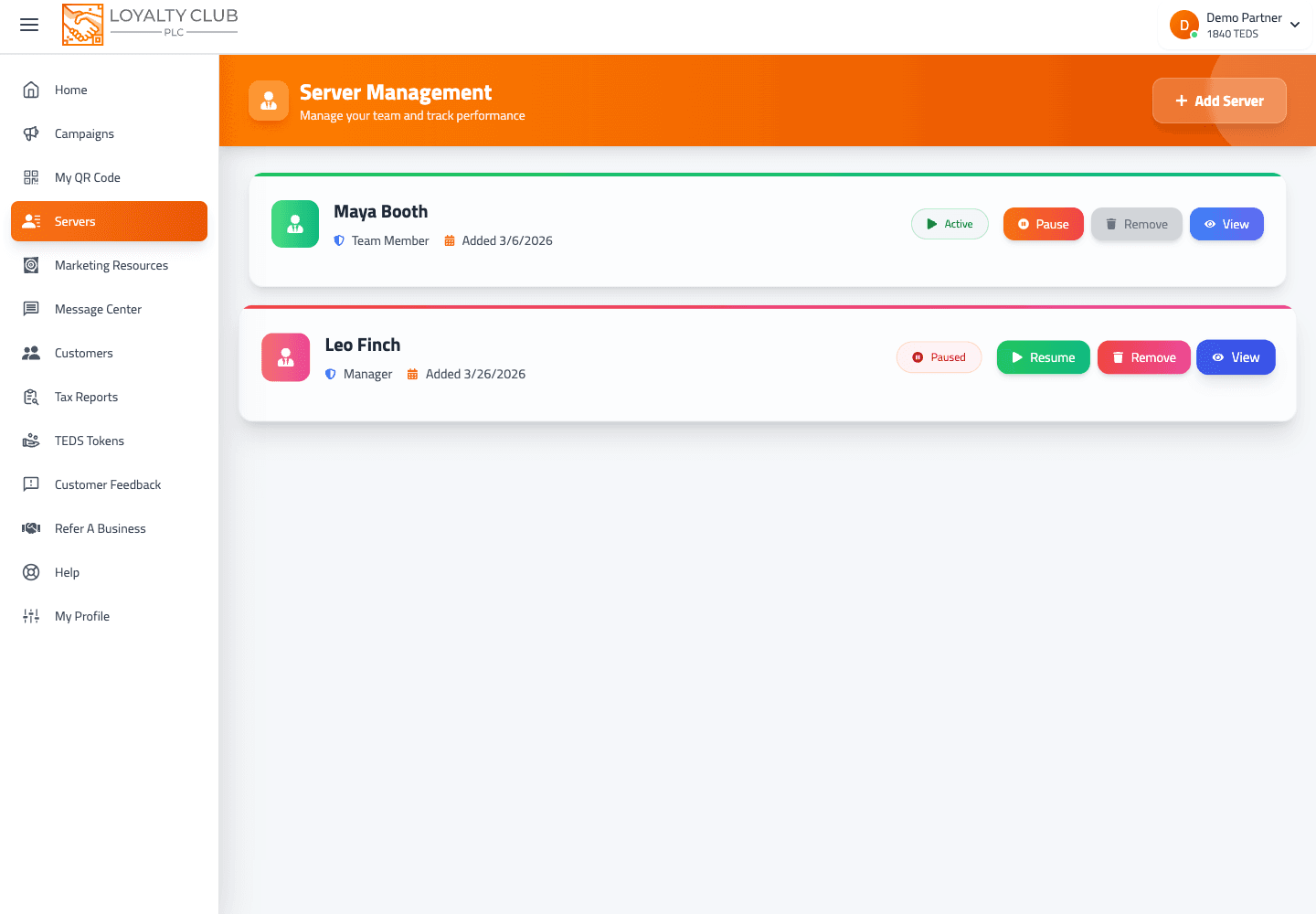
Step 1 — Check the staff member’s state in Servers
Open Servers in the portal. Find the staff member. The list surfaces them with Pause and Delete actions.
If they’ve been paused (perhaps unintentionally) or deleted, that explains it. Unpause from the Servers list, or re-add the staff member if they were deleted.
Step 2 — Check the partner app version
If they’re using the mobile app and have auto-update disabled:
- iOS: App Store → "Loyalty Club PLC Partners App" → Update if available.
- Android: Google Play → "Loyalty Club PLC Partners App" → Update if available.
Re-open the app after updating.
Step 3 — Check the campaign state
Open Campaigns. The campaign they’re trying to award against — is it active or paused?
- Active ✅ — staff should be able to apply stamps.
- Paused ❌ — pause prevents new stamps and reward redemption (per the Pause modal copy). Resume or pick a different campaign.
Step 4 — Check the order value field
If the campaign is "Spend X Amount To Earn a Stamp" type and was set as compulsory in Step 3 of the wizard, the Apply Stamp button stays disabled until the staff fills in an order value. Make sure they’re entering one.
Step 5 — Check camera permission
If the scan never reaches the campaign-selection screen at all:
- iOS: Settings → Loyalty Club PLC Partners App → Camera → Allow.
- Android: Settings → Apps → Loyalty Club PLC Partners App → Permissions → Camera → Allow.
Other things to check
- Wi-fi / data connection — the current product doesn’t show offline queueing, so scans need a connection to post.
- Member’s QR brightness — if the scan succeeds but the customer page doesn’t load, the QR may have been mis-read. Have them brighten their screen and rescan.
When to open a ticket
If none of the above resolves it, open a ticket with the staff member’s name, their device + OS version, the campaign they’re scanning for, and any error message visible.
In one sentence
Triage: staff state in Servers → app version → campaign active → order value (for compulsory spend campaigns) → camera permission.