

Here’s the at-the-till flow — about 5 seconds with practice.
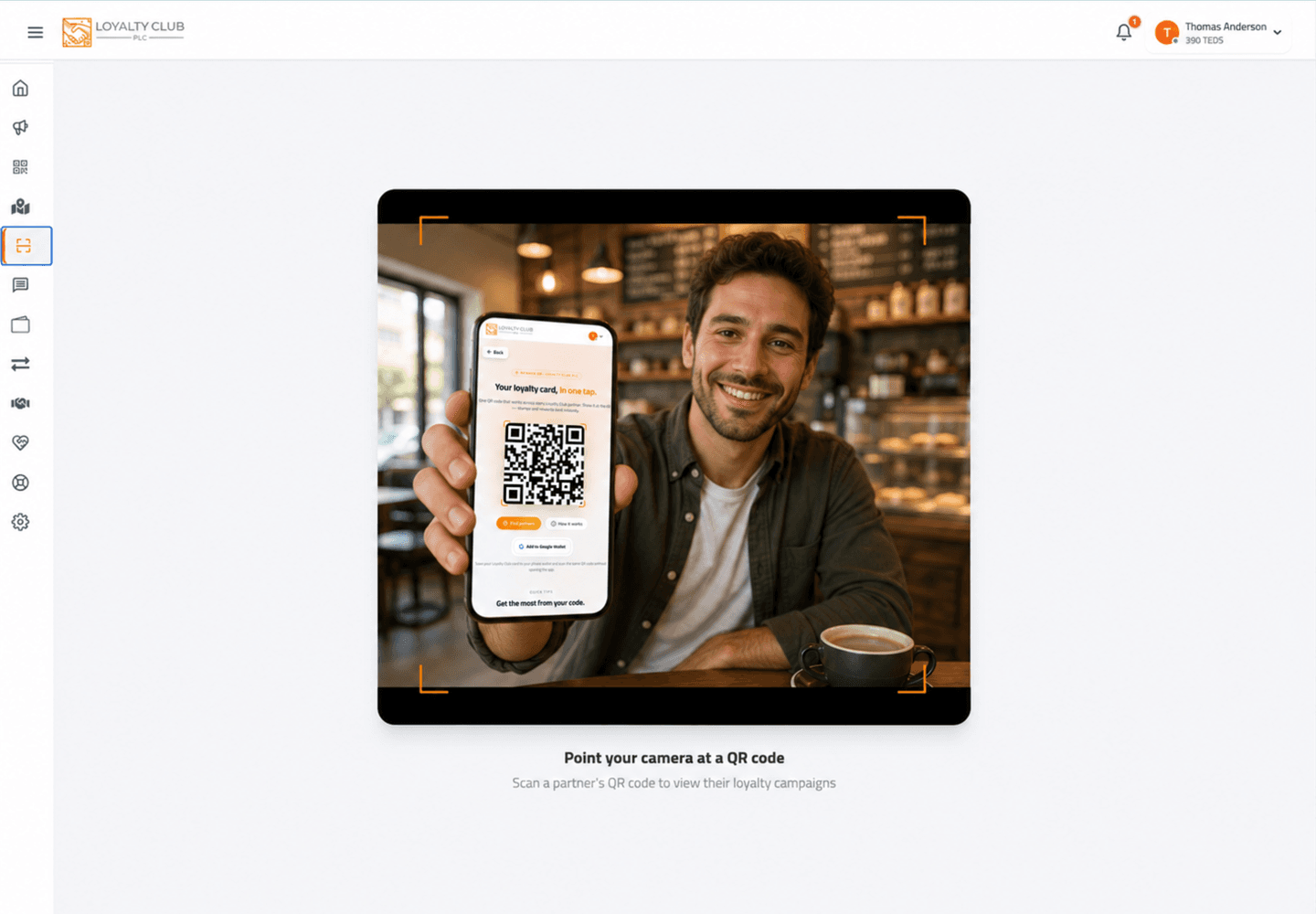
The scan
- 01Open the scanner
From the mobile app or via
/readeron the desktop web portal. - 02Point at the member’s QR
Hold steady about 15-30cm from their screen. The reticle auto-focuses.
- 03Detection
The QR detects within a second under good light.
After the scan
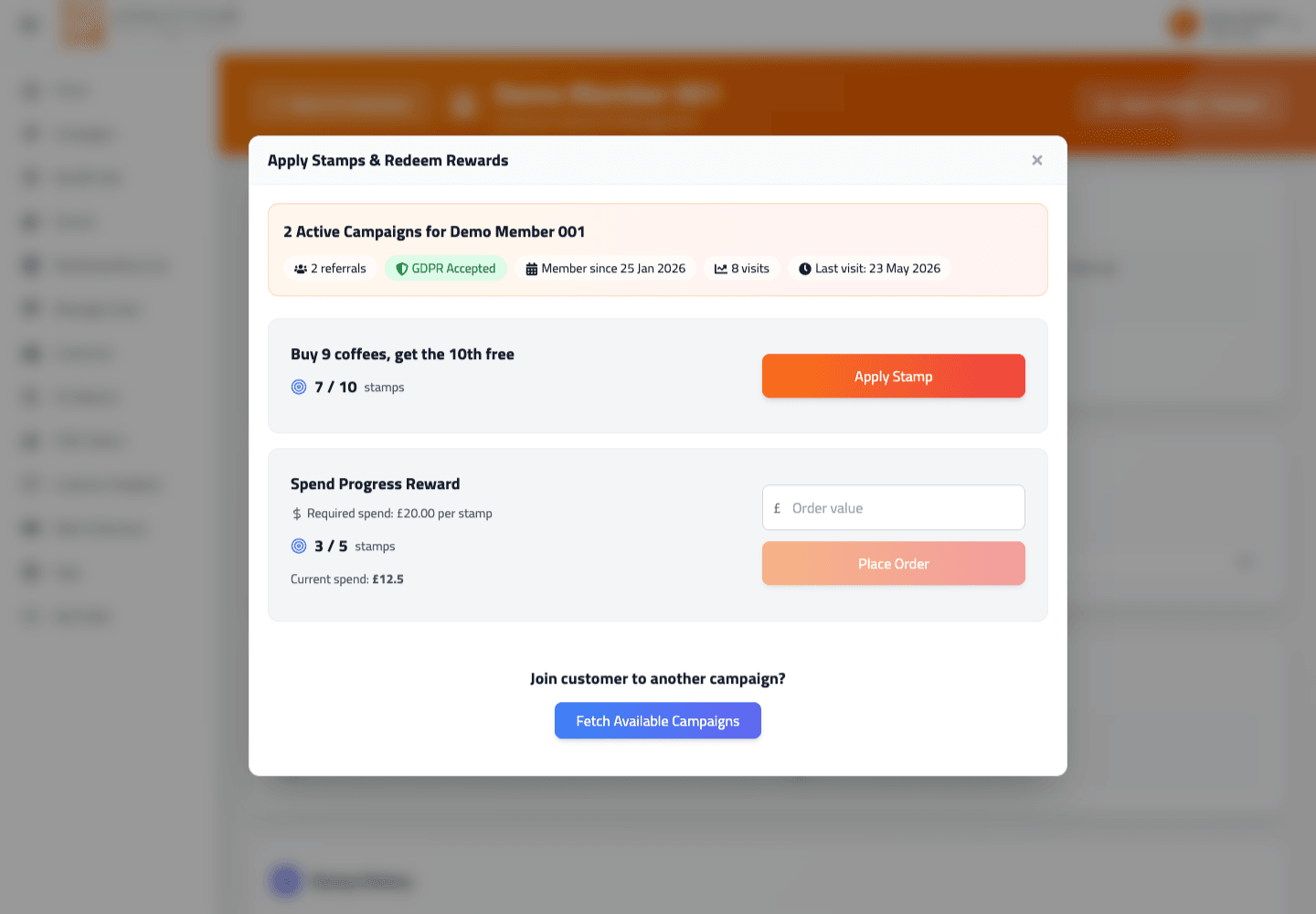
The page loads:
- The customer’s name.
- A list of campaigns of yours the customer is enrolled in, with stamp counts.
- Per campaign, an Apply Stamp button (or Place Order for spend-based campaigns), and an order-value input.
- Per campaign with a completed card, a Redeem Coupon button.
- If the customer is eligible to join campaigns of yours they aren’t enrolled in yet, a "Join" affordance lets you enroll them.
Awarding a stamp
- 01Pick the campaign
Identify the campaign for the transaction.
- 02(Optional or required) enter order value
For "Buy X, Get Y Free" campaigns, the order value is optional context. For "Spend X Amount To Earn a Stamp" campaigns it’s how stamps get awarded — and may be required if the campaign was set up as compulsory. If required and missing, the Apply Stamp button is disabled.
- 03Tap Apply Stamp / Place Order
The button label depends on campaign type:
- "Apply Stamp" — visit-based campaigns.
- "Place Order" — spend-based campaigns. Below the button you see a live "stamps earned" count based on the order value entered.
- 04Success
A success toast confirms. If a stamp was awarded as a referral / signup bonus on top, the toast notes that ("Including 1 Reward Stamp for First Purchase").
What happens if it’s a brand new customer
If you scan a member who hasn’t enrolled in any of your campaigns, the page offers to fetch your campaigns and Join them to one. Then you can apply stamps as normal.
What happens if the campaign is paused or doesn’t exist
Paused campaigns don’t accept new stamps. The button will be disabled / hidden depending on the state.
In one sentence
Scan QR → page loads customer + their campaigns → tap Apply Stamp (or Place Order for spend-based) → success.