

Both your email and password are editable from Settings. They submit via the same form (updateCustomerDetails).
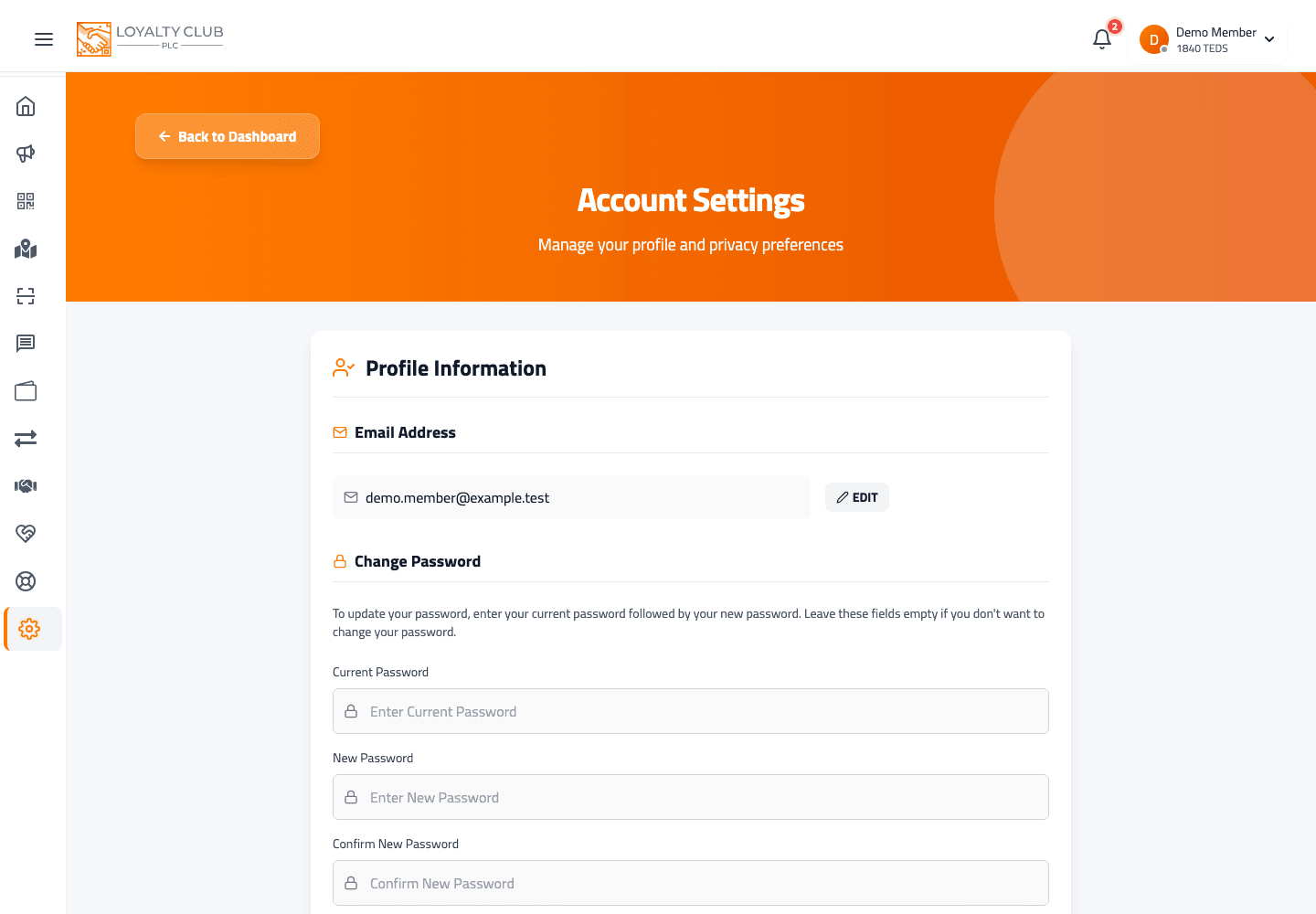
Changing your email
- 01Open Settings
From the home screen.
- 02Edit the email field
The email is editable in the Profile form.
- 03Save
Submitting the form updates the email.
The address businesses email
Emails from the businesses you’ve joined go to this address — see Emails from the businesses you join.
If emails to your old address bounced back as undeliverable, businesses stop emailing it. If you’ve corrected your address and their emails still don’t arrive, open a ticket and we’ll look into it.
Changing your password
- 01Same Settings page
Scroll to the password section.
- 02Fill all three password fields
Current password, new password, confirm new password. The form only includes password data on submit if all three are filled.
- 03Save
Password updates. The fields reset after success.
Forgotten current password?
Use the Forgot password flow on the login screen instead — sends a reset link to your registered email.
In one sentence
Settings → edit email field OR fill all three password fields → save.