
Marketing Studio is the design workspace inside Marketing Resources in the partner portal. It lets you create professional marketing for your loyalty programme — without a separate design tool or hiring a designer. Every layout is built to send customers to your Loyalty Club QR code.
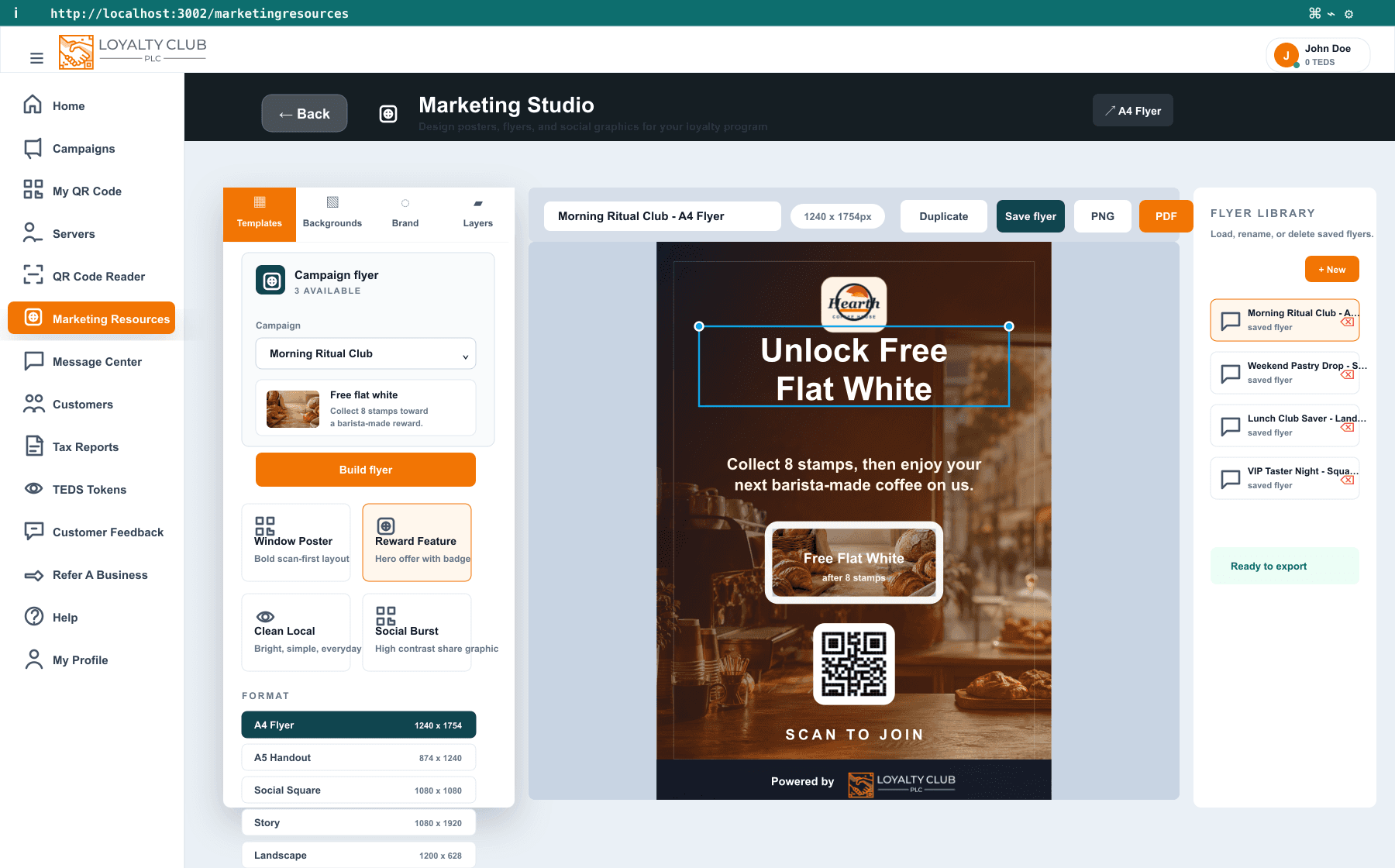
What you can create
- Window posters to invite passers-by to scan and join.
- A4 flyers and A5 handouts for counters, bag inserts and notice boards.
- Table cards prompting customers to join while they wait.
- Social posts and stories for Instagram, Facebook and email.
Each design is built around a clear, scannable QR code so customers can join in seconds.
Five formats
Switch format at any time and the layout reflows to fit:
- A4 Flyer — windows, counters and notice boards.
- A5 Handout — bag inserts, tables and staff handouts.
- Social Square — Instagram, Facebook and email graphics.
- Story — vertical social sharing.
- Landscape — web banners, in-store screens and wide posts.
Designed around your campaigns
If you already run campaigns, Marketing Studio can build a flyer straight from one — it reads the campaign name, reward, stamp goal and reward image so the poster matches what's actually live. See Creating your first campaign.
Backgrounds for your business
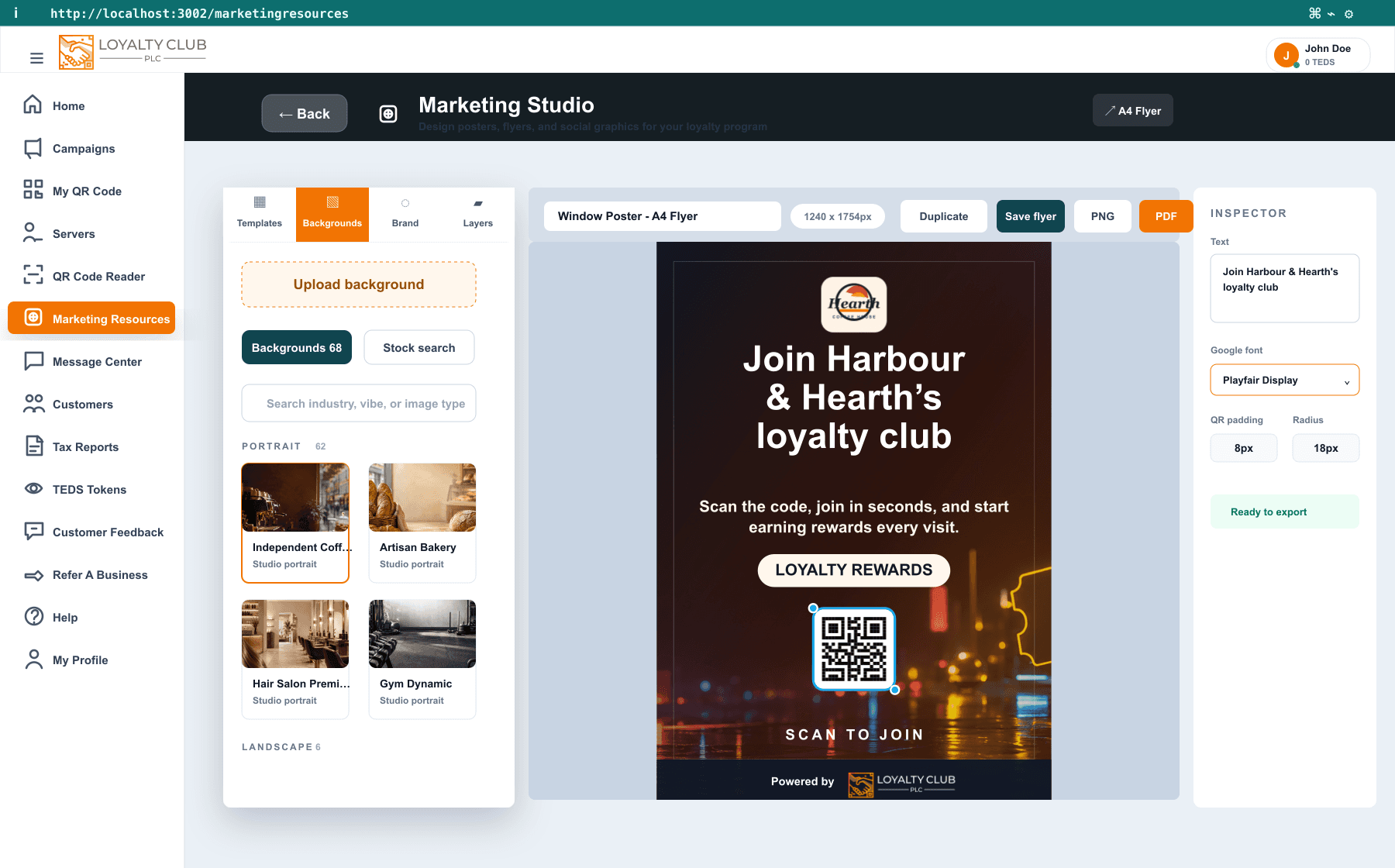
Choose from 60+ curated backgrounds tuned to common loyalty businesses — cafés, bakeries, restaurants, pubs and bars, salons, barbers, spa and wellness, gyms, florists, jewellers, fashion boutiques, bookshops and more — plus universal reward and seasonal backdrops. You can also search stock photos by business type or upload your own image.
On brand and scan-first
- Five brand palettes — PLC, Fresh, Boutique, Noir and Pop — apply a colour set across headline, body, footer and badge.
- Google fonts — pick from 30+ suggestions or type any Google Font family name.
- Logo and QR styling — frame your logo and tune the QR card so it stays easy to scan.
- Export checks warn you if the QR code is missing, too small or outside the safe area.
The Powered by Loyalty Club footer is protected so exported assets keep the required branding.
Export and reuse
Save up to 24 designs in your Flyer library to reopen, duplicate or delete later. Export each design as a PNG for social and email, or a print-ready PDF for posters and flyers.
For step-by-step instructions — templates, campaign flyers, backgrounds, branding and export — see Creating flyers in Marketing Studio.
Where to find it
Open Marketing Resources from the partner sidebar to launch Marketing Studio. It's a desktop design workspace, so use it on a laptop or computer rather than a phone.
In one sentence
Marketing Studio turns your loyalty programme into professional, scannable posters, flyers and social graphics — designed in the portal and exported as print-ready PDFs or social PNGs.