

They come with the Shop, which is switched on per account while we prove it with selected businesses. Ask us on the contact form if you would like it.
A gift voucher is money a customer spends on someone else, at your business. You sell them from your own gift page, they arrive by email, and they are spent at your till or at your online checkout.
Start selling
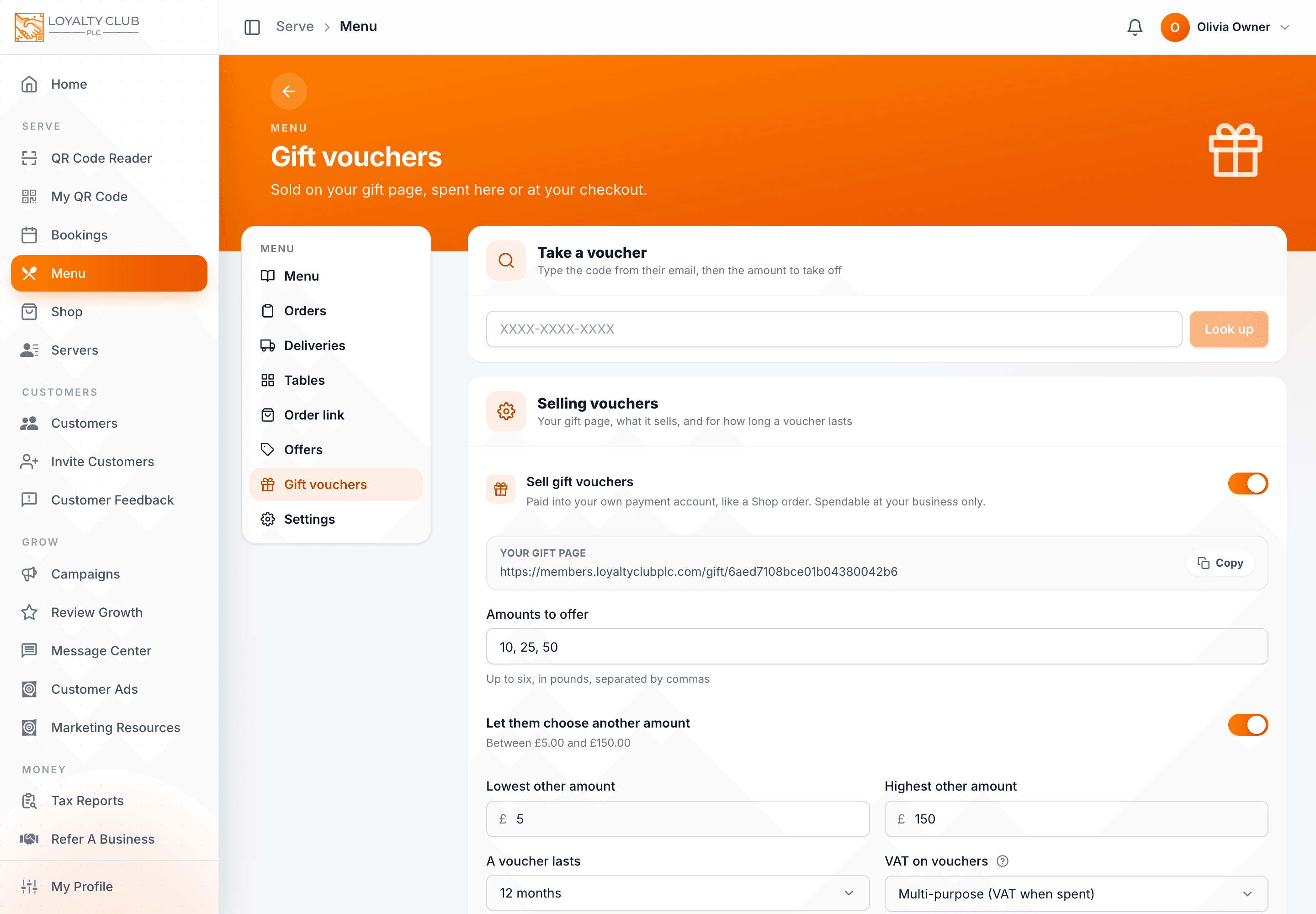
- 01Open Gift vouchers
In the Menu or Shop side menu, choose Gift vouchers. It is the same page under both.
- 02Switch on Sell gift vouchers
Payments go into your own payment account, like a Shop order. A voucher can only be spent at your business.
- 03Choose the amounts
Amounts to offer: up to six, in pounds, separated by commas. Switch on Let them choose another amount to allow any sum between a lowest and a highest you set.
- 04Set how long one lasts, and the VAT
A voucher lasts 6, 12, 24 or 36 months. VAT on vouchers: single-purpose when everything it can buy has one VAT rate (VAT is due when the voucher is sold), multi-purpose otherwise (VAT is due when it is spent). Ask your accountant if unsure.
- 05Add terms, save, and share your gift page
Terms are optional and shown on the gift page and in the voucher email. Then copy Your gift page and share it: on your website, your social profiles, in a message to your members.
Taking a voucher
At the till, under Take a voucher: type the code from their email and press Look up. You see what is left and when it must be used by. Enter the amount to take off (or the whole balance) and press Take off. A voucher can be spent over several visits until it runs out.
Customers can also type the code at your Shop or Menu checkout to pay with it, in one go or over several orders.
What has sold
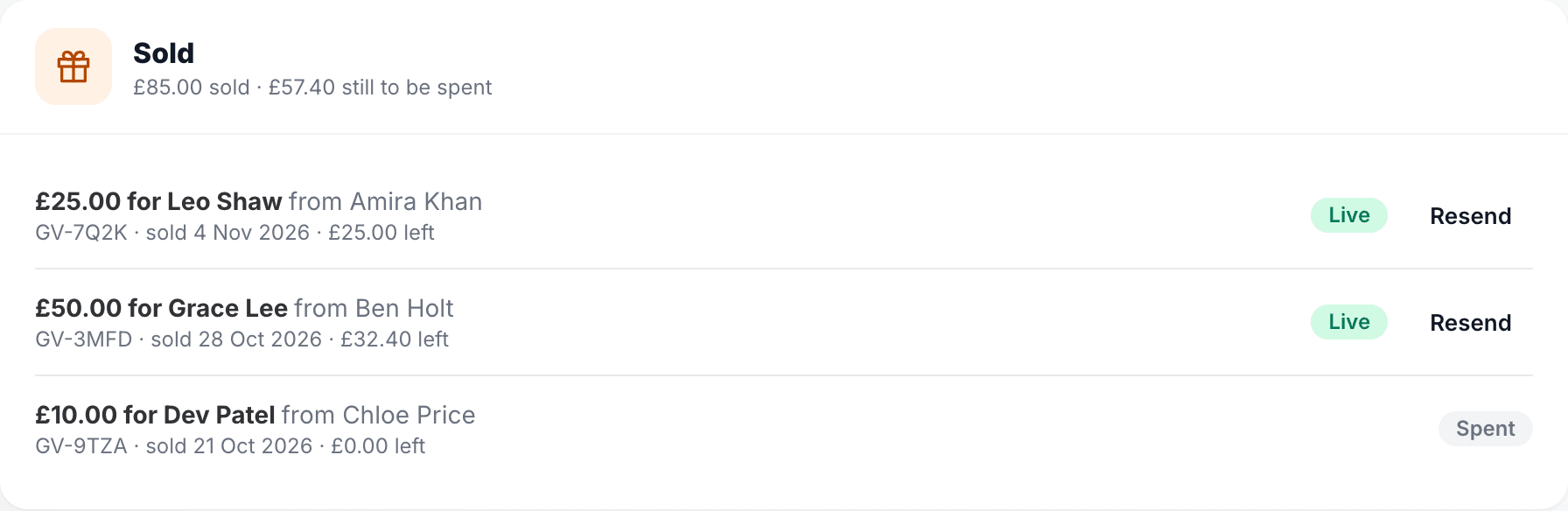
Sold lists every voucher: who it was for and from, when it sold, what is left, and whether it is Live or Spent. Resend sends the recipient their voucher email again, for the "I can't find it" moment.
In one sentence
Switch on Sell gift vouchers under Menu or Shop → Gift vouchers, choose the amounts, how long they last and their VAT, share your gift page, and take them at the till with Take a voucher or at your online checkout.