

The Message Centre has four sections, each doing a different job. Campaigns and customer alerts reach your members in the app and by push notification. Referral messages are what your members send on your behalf. Emails reach their inbox.
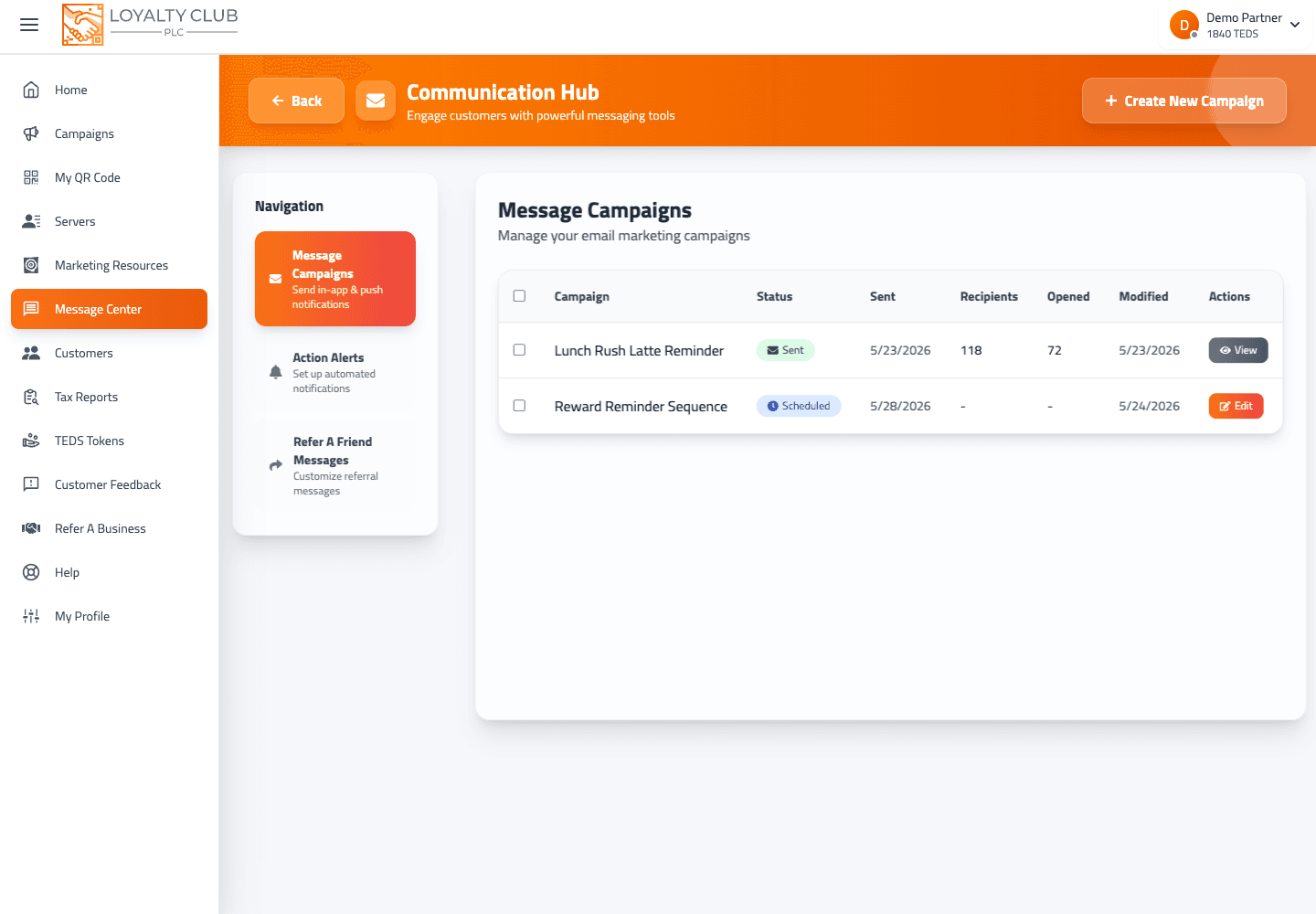
| Tab | Page title | What it is for | How it reaches members |
|---|---|---|---|
| Campaigns | Message campaigns | One-off messages you send or schedule to a list of customers | In the app and by push — and by email too, if you switch it on at the compose step |
| Customer alerts | Customer alerts | Automatic messages that fire on their own — a stamp earned, a reward ready | In the app and by push |
| Referral messages | Refer a friend messages | What your customers send when they recommend you to someone | Shared by the customer, from their own phone |
| Emails | Emails | The emails your club sends on its own — designed by you, in your name | The member's inbox |
If you have used the portal for a while, you may know the first three by their older names — Message Campaigns, Action Alerts and Refer A Friend Messages. They are the same sections.
1. Campaigns
What: a message you write once and send to a list of your customers — straight away, or scheduled for later.
You create one with the four-step wizard at /createmessagecampaign: campaign details, choose your lists, write the message, then review and send. Step 1 offers four cards:
- Message campaign — the ordinary one-off. It carries on through the wizard.
- Birthday emails, Anniversary emails and Review request emails — these are not one-offs. Each opens the design of one of your automatic emails instead, because those emails are written once and then send themselves.
The compose step can send the message as an email as well. See Sending your first message campaign and Sending a message campaign by email.
2. Customer alerts
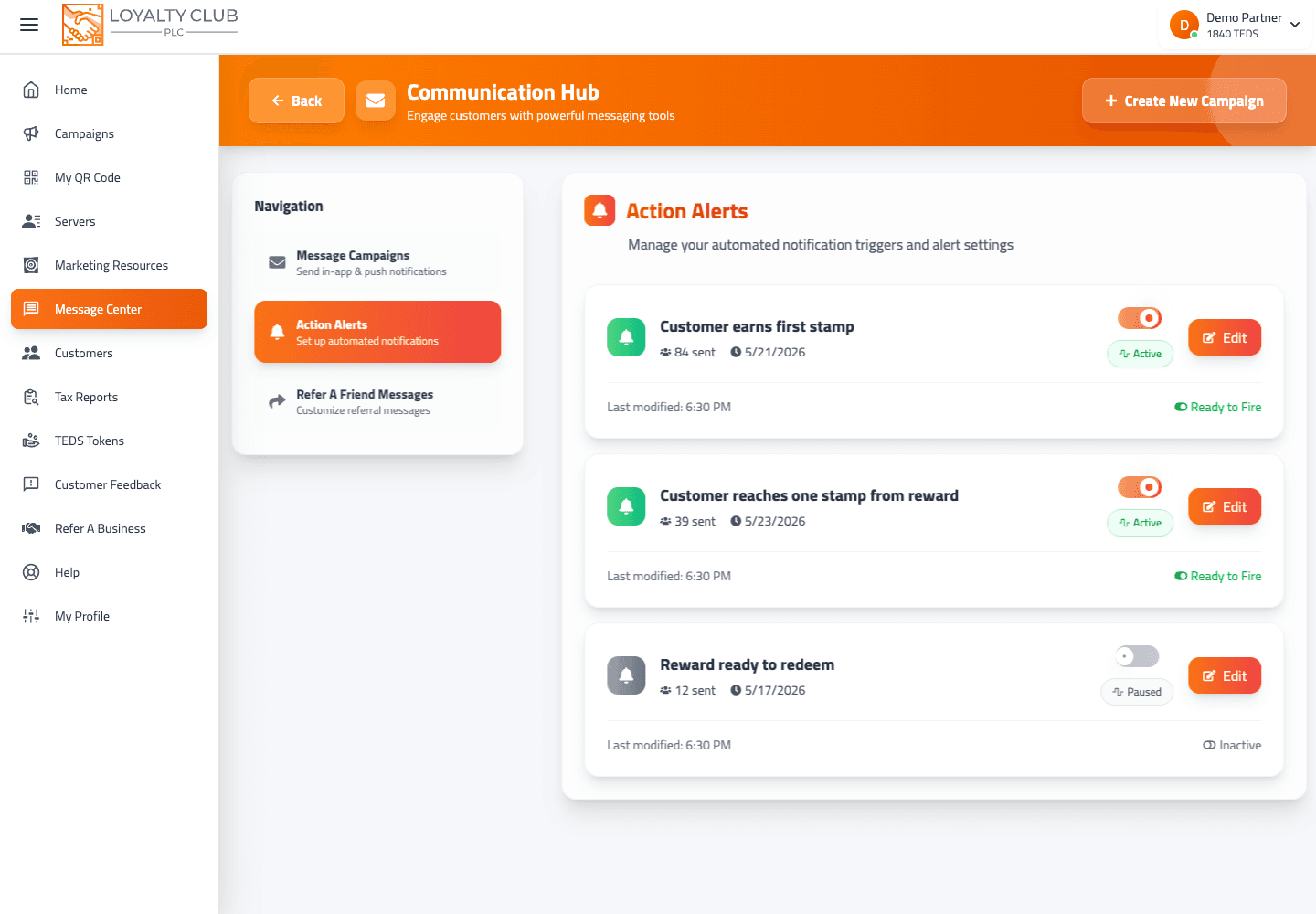
What: automatic messages that fire when a customer does something — earns a stamp, completes a card, reaches a milestone. You set them up once, switch each one on or off, and they run from then on.
They live at /actionalerts. See Setting up an automated action alert.
3. Referral messages
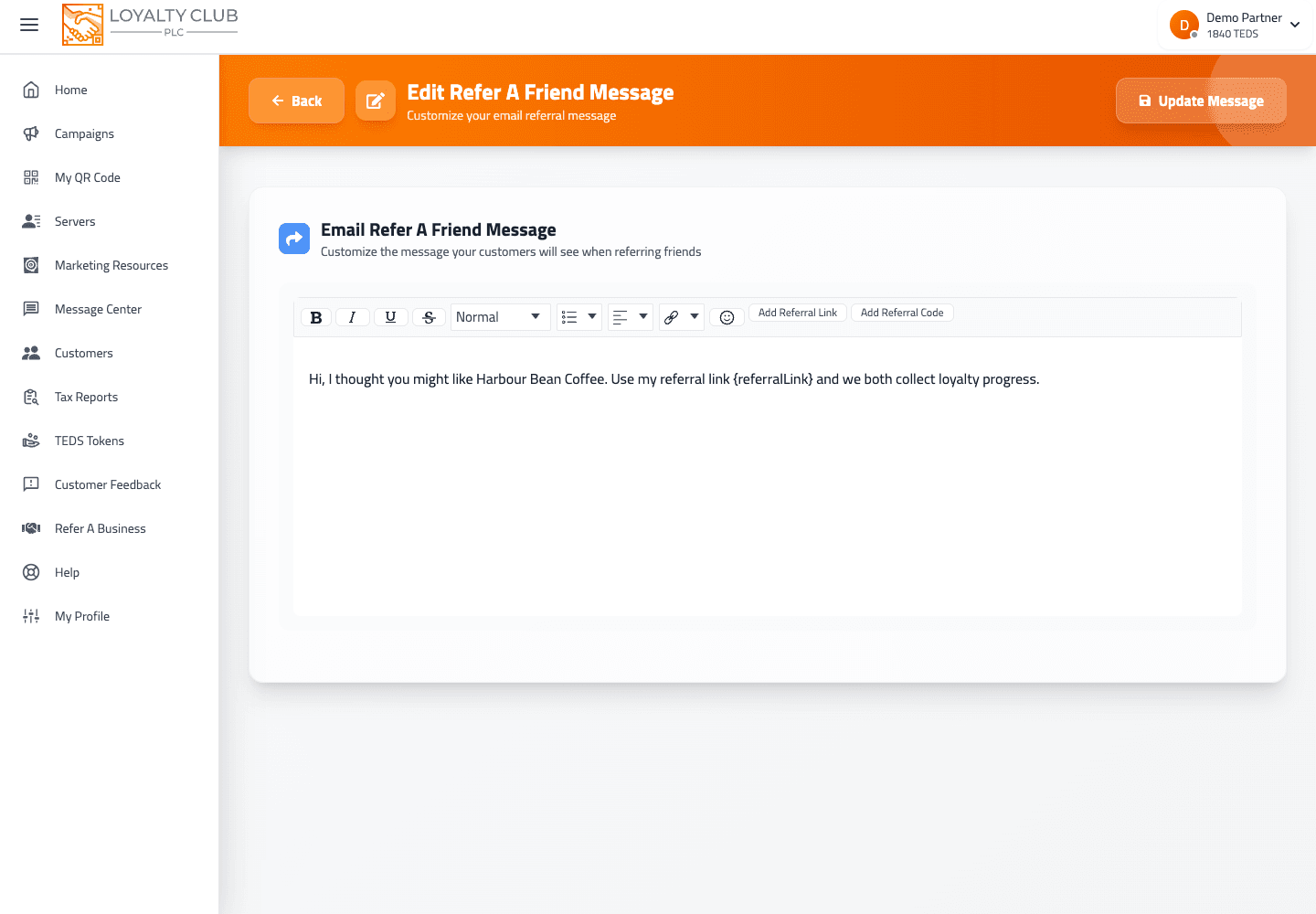
What: the messages your customers share when they recommend you. You edit one template per channel, and each must include the {referralLink} placeholder, which becomes that customer's own referral link. {referralCode} adds their code as text.
Channels:
- X (Twitter)
- Telegram
Edit each one at /editreferfriendmessage/{messageType} (for example /editreferfriendmessage/email).
4. Emails
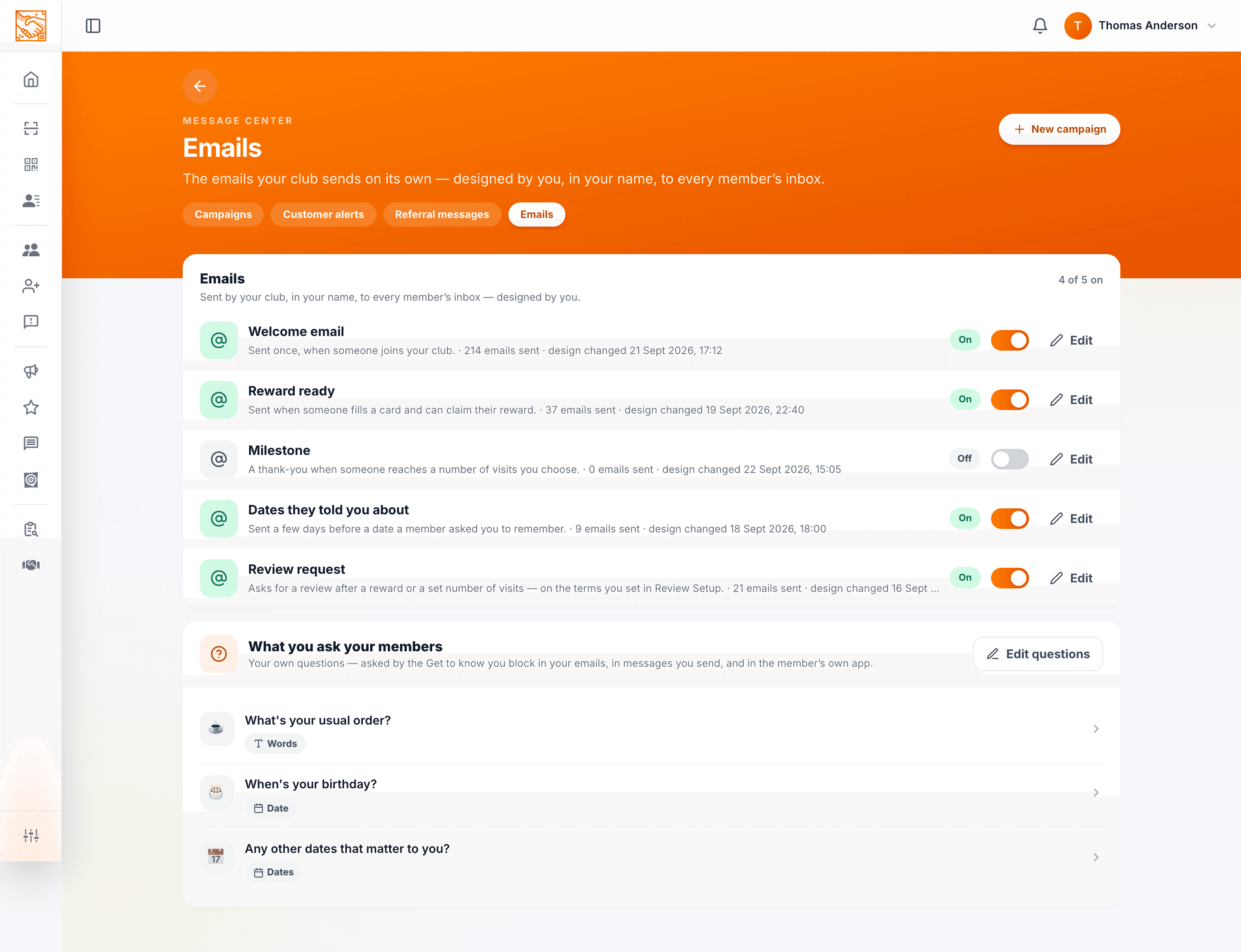
What: the emails your club sends on its own, to the member's inbox, in your name. They arrive from "Your business via Loyalty Club", and replies come to you. There are five — Welcome, Reward ready, Milestone, Dates they told you about and Review request — each with its own design, which you edit block by block, and its own on/off switch. All five start switched off.
Because they go to the inbox rather than the app, they reach everyone — including members who joined at the counter and never installed the app. Under the list is What you ask your members, where you write your own questions for members to answer.
See Club emails: what they are and how they send.
What none of these are
- None send SMS. No SMS gateway is integrated; the WhatsApp template is text members share themselves.
- None broadcast cross-business. You message your own members only.
In one sentence
Campaigns = you broadcast. Customer alerts = automatic in-app and push messages. Referral messages = templates members share. Emails = your club's own automatic emails, in your name, to the inbox.