

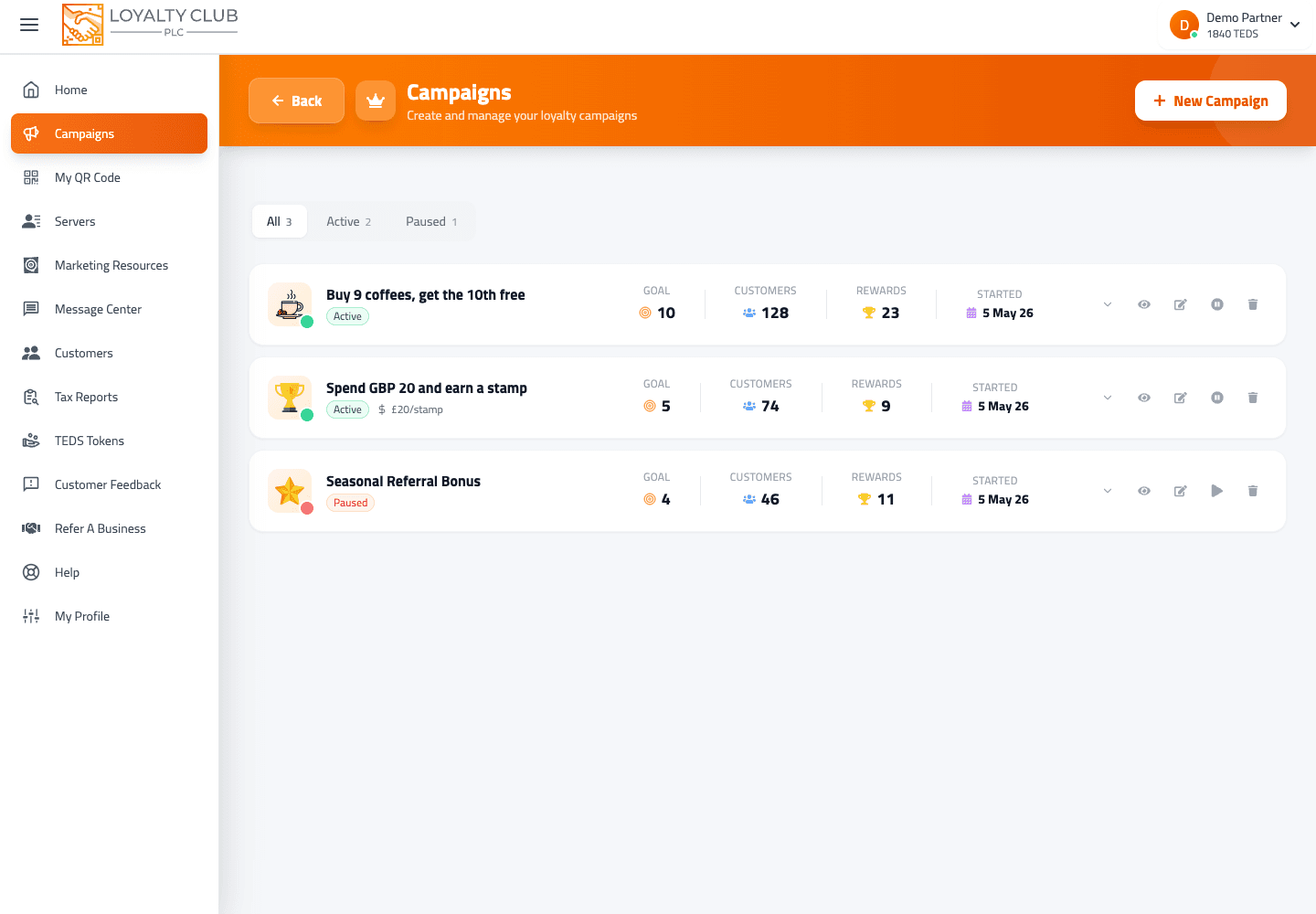
A campaign is a single stamp-card programme you run for your customers. You can run as many simultaneous campaigns as you like.
The two campaign types
The wizard offers exactly two options:
- Buy X, Get Y Free (Earn a Stamp on Each Purchase) — classic visit-based loyalty. Each transaction = one stamp, regardless of order value.
- Spend X Amount To Earn a Stamp — spend-based. The customer earns a stamp per £-threshold (set via the Spend Per Stamp field).
You pick the type at Step 1 of the wizard. Some downstream fields are gated by which type you chose.
The wizard at a glance
Four steps:
- Basic Information — campaign name, reward name, campaign type, description.
- Mechanics — stamp goal, status (active / paused), spend-per-stamp (for spend-based campaigns), and an optional accumulation toggle.
- Financial — reward net cost and reward RRP.
- Referral & Enrollment — referrer bonus, referred-friend bonus, and which enrollment paths are open (QR scan, introduction, or both).
Detailed walkthrough in Creating your first campaign.
Status
Campaigns have one of two statuses:
- Active — accepting stamps, accepting redemptions, visible to members.
- Paused — stops new stamps and stops reward redemption. Reversible — toggle back to active any time.
Plus two terminal actions:
- Delete — permanent. Customers lose all accumulated stamps for the deleted campaign. This action cannot be undone. (See Pausing vs deleting a campaign.)
Accumulation (optional)
In the Mechanics step there’s an Allow Amount Accumulation checkbox:
- Off (default): spend that doesn’t reach the per-stamp threshold doesn’t count towards the next stamp.
- On: partial spending carries over. With £10/stamp and a £7 spend, the £7 is saved towards the next stamp.
When on, you can set a Reset Accumulation After value (a number of days, slider 0–60; 0 = "Never").
What to know yet
- Campaign icon — there’s no icon field in the wizard currently. Member-facing icons are determined elsewhere.
- Start / end dates — not part of the wizard.
- Free-text rules — there’s no rules field; campaign mechanics are all set via the typed fields above.
- Multiple reward tiers per campaign — not in the wizard currently.
If you need any of the above, open a ticket and we’ll discuss workarounds.
In one sentence
Campaign = stamp-card programme with one of two types (visit-based or spend-based), a goal, a reward, financial fields and optional accumulation. Active or paused; delete is permanent and customers lose their stamps.