

Before this existed, a partner found out something had happened by looking. An order landing while nobody had the board open, a booking request sitting unapproved, a subscription payment failing quietly — all of them cheap to fix immediately and expensive to discover a week later.
Customer alerts (formerly Action Alerts) and club emails are automated messages you send to your customers. Notifications are alerts you receive about your business. Different screens, opposite directions.
The bell
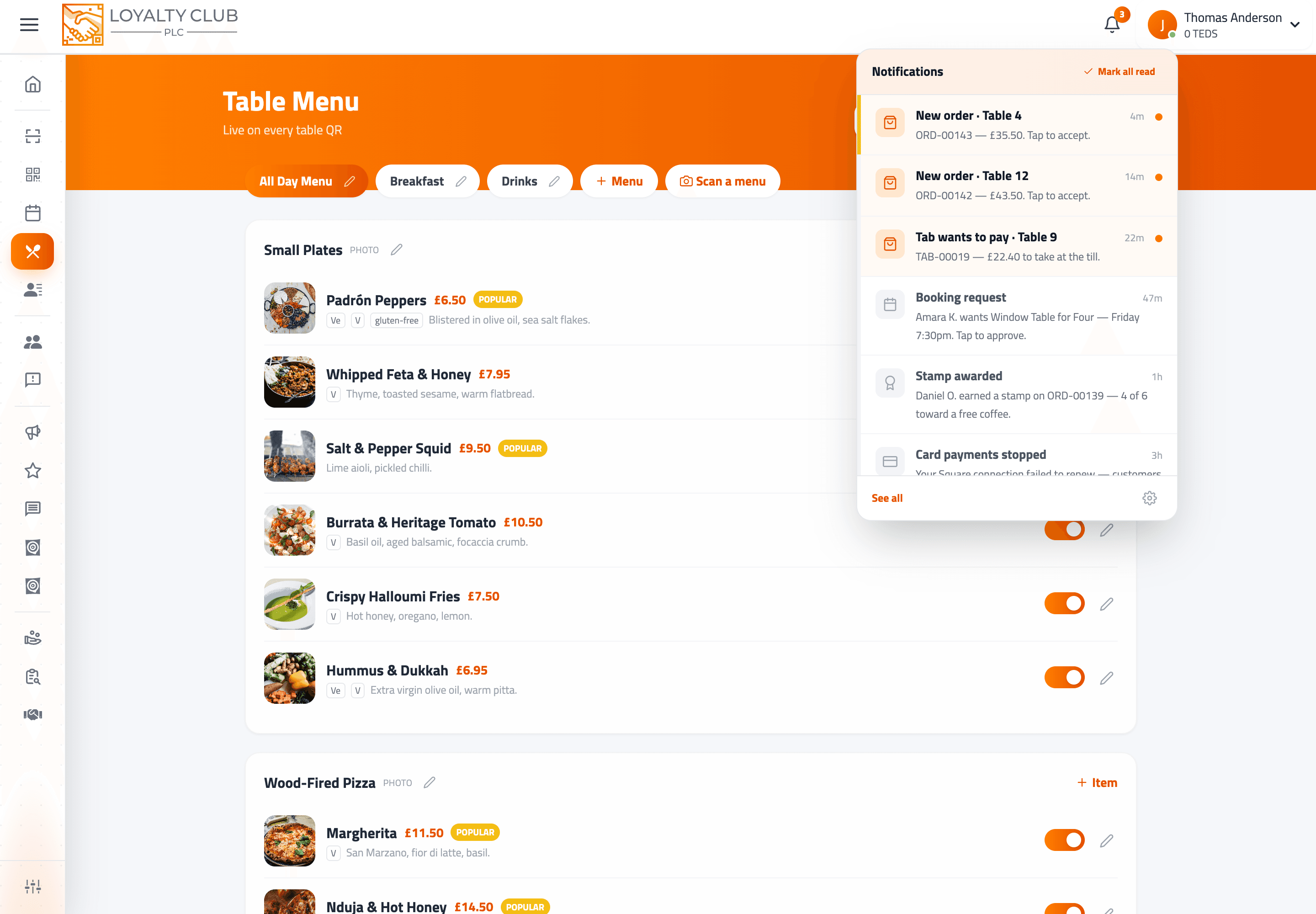
A bell sits in the portal header with an unread count on it. Tapping it opens the most recent notifications; tapping one takes you straight to the screen that resolves it and marks it read.
The history page
/notifications is the full record. It keeps 90 days and filters by category:
| Filter | Covers |
|---|---|
| All | Everything |
| Orders | New table orders, tabs asking to settle |
| Bookings | New bookings, cancellations, what is coming up |
| Billing | Subscription, payouts, card connection problems |
| Account | Everything else we need to tell you |
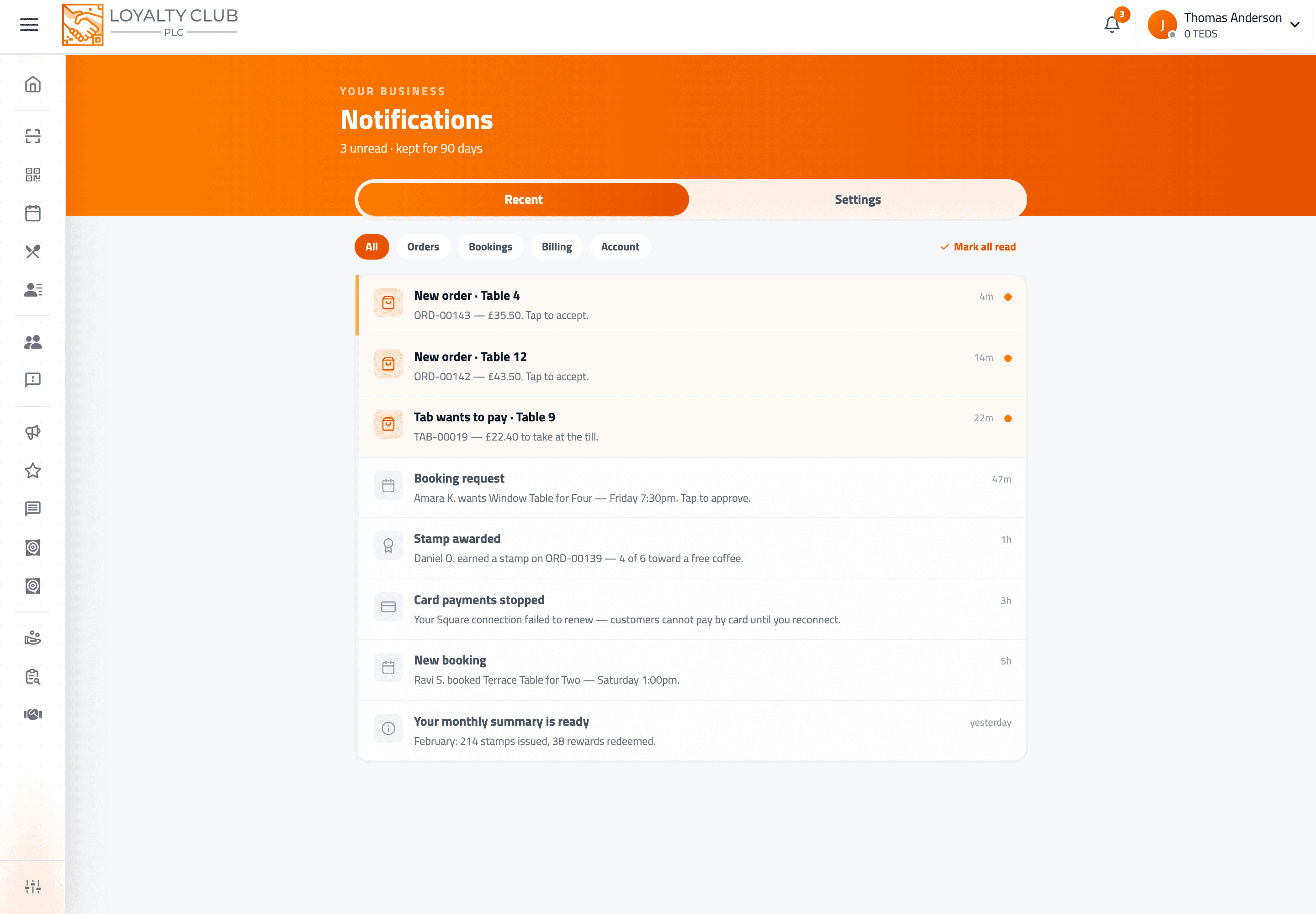
There is a mark all read action, and older items load on demand.
What raises a notification
The ones most likely to cost you money if missed:
- A new table order — high priority, and the one that also sounds the kitchen chime.
- A tab asking to settle — someone wants to pay and needs a person.
- A booking that needs approval — previously this sat entirely unseen until someone opened the right tab.
- A booking received or cancelled by the customer.
- An appointment starting shortly.
- A subscription payment that failed — with the number of days you have to update your card before the account is affected.
- Your Square connection has broken — card payments stop working until it is reconnected, so this one is worth acting on immediately.
- A refund that did not go through.
Loyalty activity — stamps, rewards and members joining — is also recorded.
Tapping a notification
Every notification carries a link to the place that resolves it. A new order opens the order board, a booking request opens your pending bookings, a failed payment opens your billing settings. You do not have to work out where to go.
Where alerts reach you
Four channels, and you control the last three:
- 01The bell — always
Every notification is recorded here whatever else happens, so the history is reliable even if a push never arrives.
- 02Your phone
Native push on the partner app, for iPhone and Android. Staff logins register too, so alerts reach whoever is on shift.
- 03Email
For the categories you choose.
- 04A chime on the order board
Per device, so the kitchen screen can sound while the office laptop stays quiet.
Setting all of this is covered in Choosing what reaches your phone.
In one sentence
The bell keeps a filterable 90-day record of everything your business was told, and pushes the categories you choose to your phone so the urgent things find you instead of waiting on a screen.