

It is switched on per account while we prove it with live venues. Ask us on the contact form if you would like it enabled.
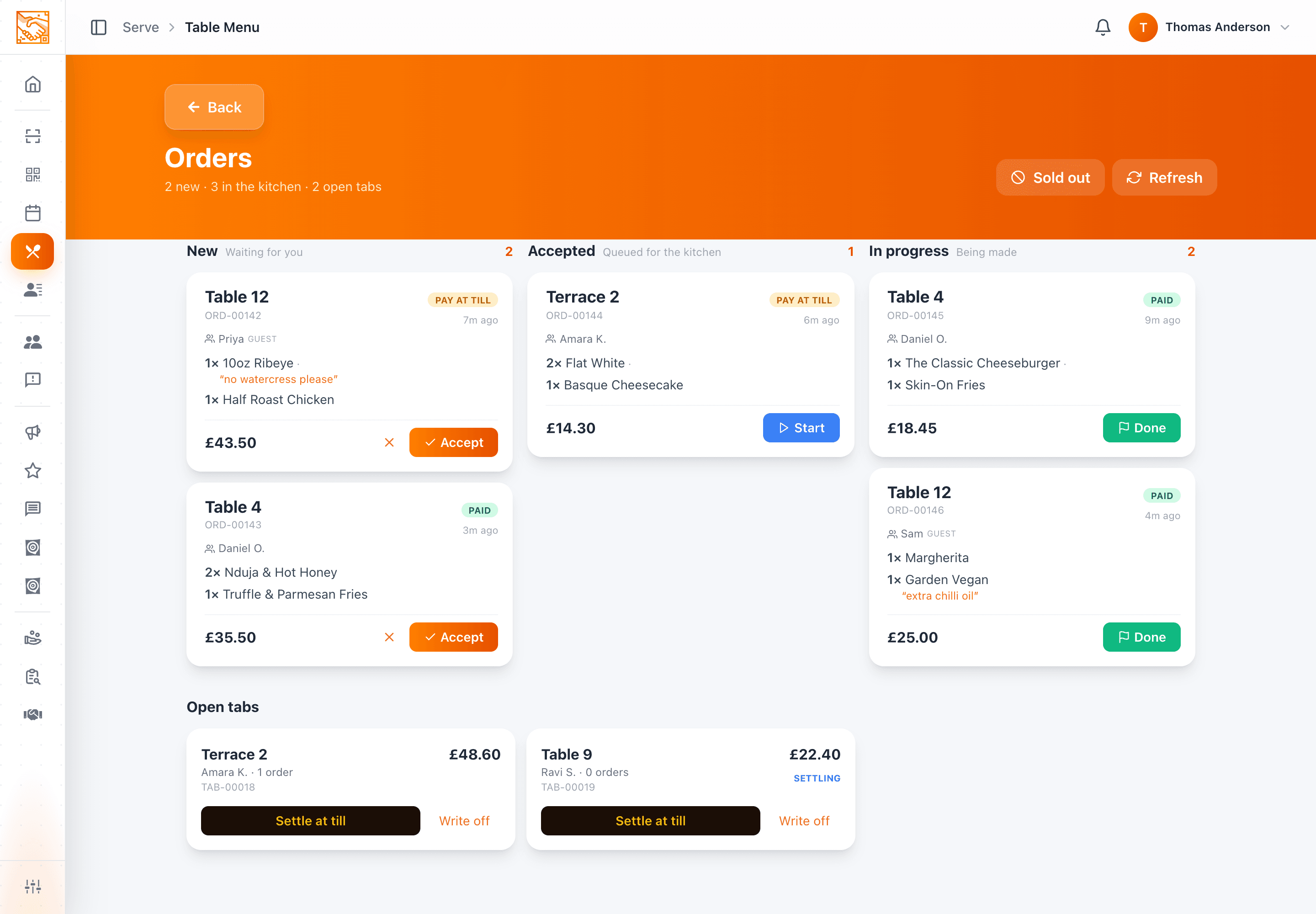
The order board is at /menu/orders. It is the only screen anyone needs to watch during service, and it refreshes itself every ten seconds.
The columns
| Column | Meaning |
|---|---|
| New | Waiting for you. Orders land here when order acceptance is on. |
| Accepted | Queued for the kitchen. |
| In progress | Being made. |
On a phone the columns become a filter you switch between, so the board works on whatever screen the kitchen has.
Reading an order card
- The table label is the biggest thing on the card — "Table 12" — with the order reference (
ORD-00042) underneath. - Who placed it, and whether they were a guest.
- The lines, each with quantity, dish, the options chosen, and any note the diner typed shown in quotes.
- The total.
- A payment pill:
PAID,ON TAB,PAY AT TILLorREFUNDED. - Time since it was placed. Anything sitting in New for ten minutes or more turns amber, so a missed ticket becomes visible rather than silent.
Working an order
- 01Accept it
Confirms you have seen it and it is going to be made. Until someone accepts, the order sits in New.
- 02Start it
Moves it to In progress. Useful when several people work the board and you want to show what is actually on the pass.
- 03Complete it
Clears it off the working columns.
Rejecting an order
Rejecting asks you for a reason, which the diner sees. Use it for a kitchen that has closed, an item that has just run out, or an order that should not have been placed.
If the diner paid by card, rejecting the order returns their money. You do not need to go into Square to do it separately.
Marking an at-till order paid
An order with a PAY AT TILL pill has not been paid for yet. When your staff take payment at the counter, tap Mark paid on the board.
Marking an at-till order paid is what awards the member's stamp — the same as a card payment settling. If your team forgets the tap, the food still goes out but the stamp does not land. See Stamps from table orders.
Tabs
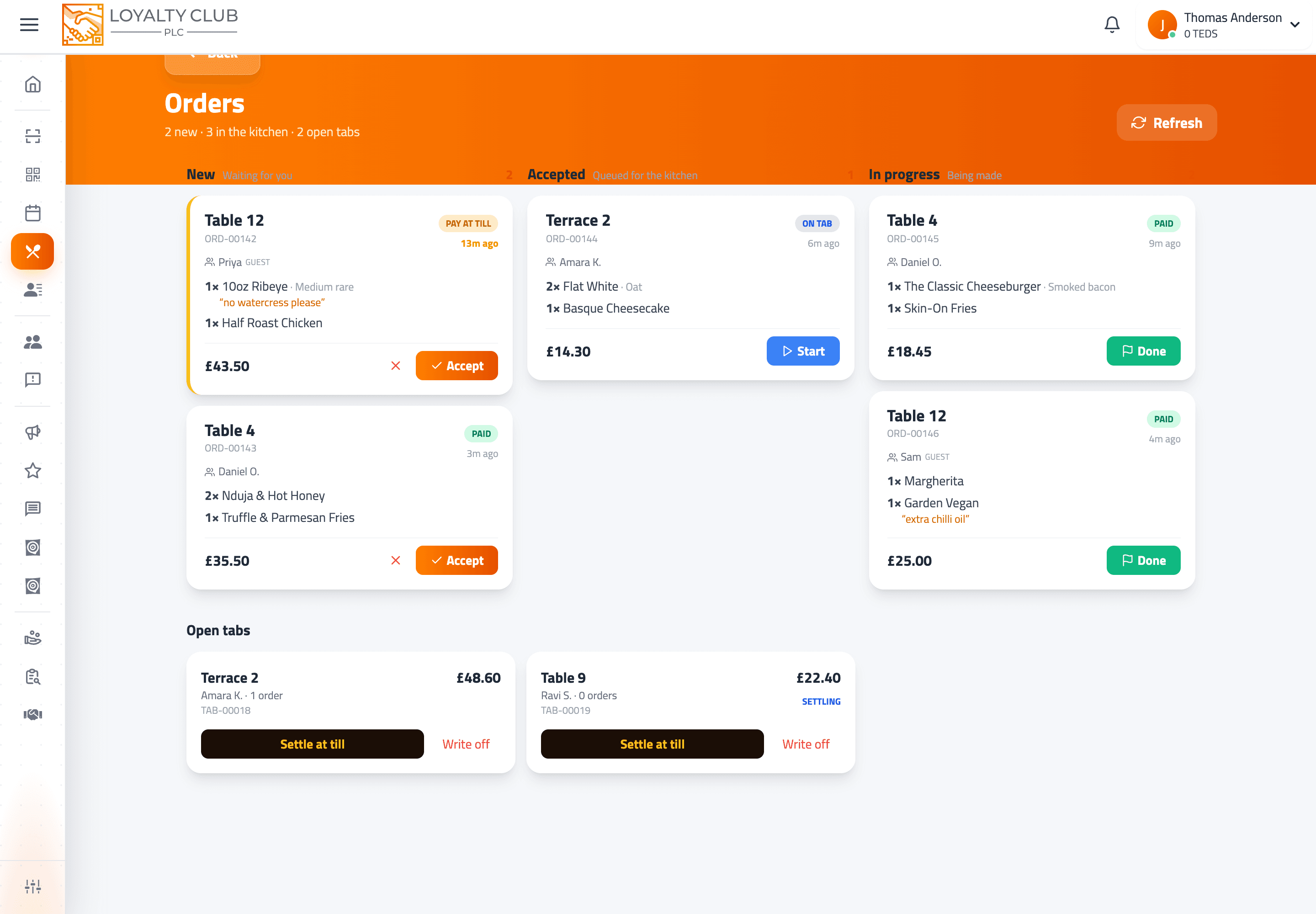
Where you have tabs enabled, open tabs appear on the board with their table and a running total.
From here you can:
- Settle at the till — when the table pays you at the counter. This closes the tab and awards the stamp on the settled total.
- Write it off — with a reason. For a walk-out or a comped table. Write-offs do not award a stamp.
A diner can also settle their own tab from their phone, by card.
Hearing new orders
A busy kitchen needs sound more than it needs a badge. The chime on a new order is a per-device switch in your notification settings — turn it on for the screen in the kitchen and leave it off on the office laptop.
For alerts that reach you when the board is not open at all, see Notifications and alerts.
When the kitchen is drowning
Two controls, both in menu settings:
- Pause ordering — diners still browse the full menu, but cannot place an order. Nothing disappears from the tables and resuming is one tap.
- The availability toggle in Menu Studio — takes a single dish off every open menu without touching anything else.
In one sentence
/menu/orders → accept, start and complete orders as the kitchen works them; reject with a reason to refund automatically; tap Mark paid on at-till orders to take payment and award the stamp.